

thClaws
thClaws (ThaiGPT Co., Ltd.)
Native AI agent workspace with chat, terminal and files
Copied! Paste it into a terminal and press Enter to install.
About
This is a community package of thClaws, maintained independently and unaffiliated with thClaws or ThaiGPT Co., Ltd. It repackages the official upstream Linux build unmodified.
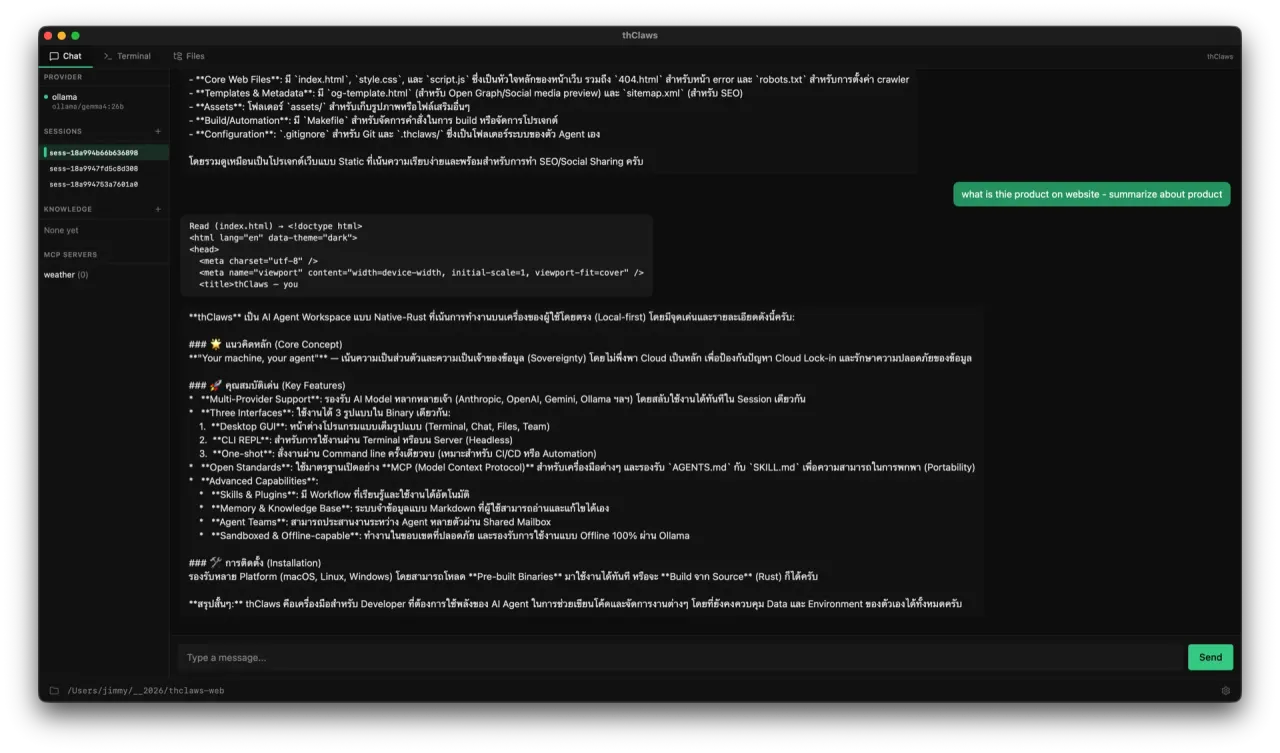
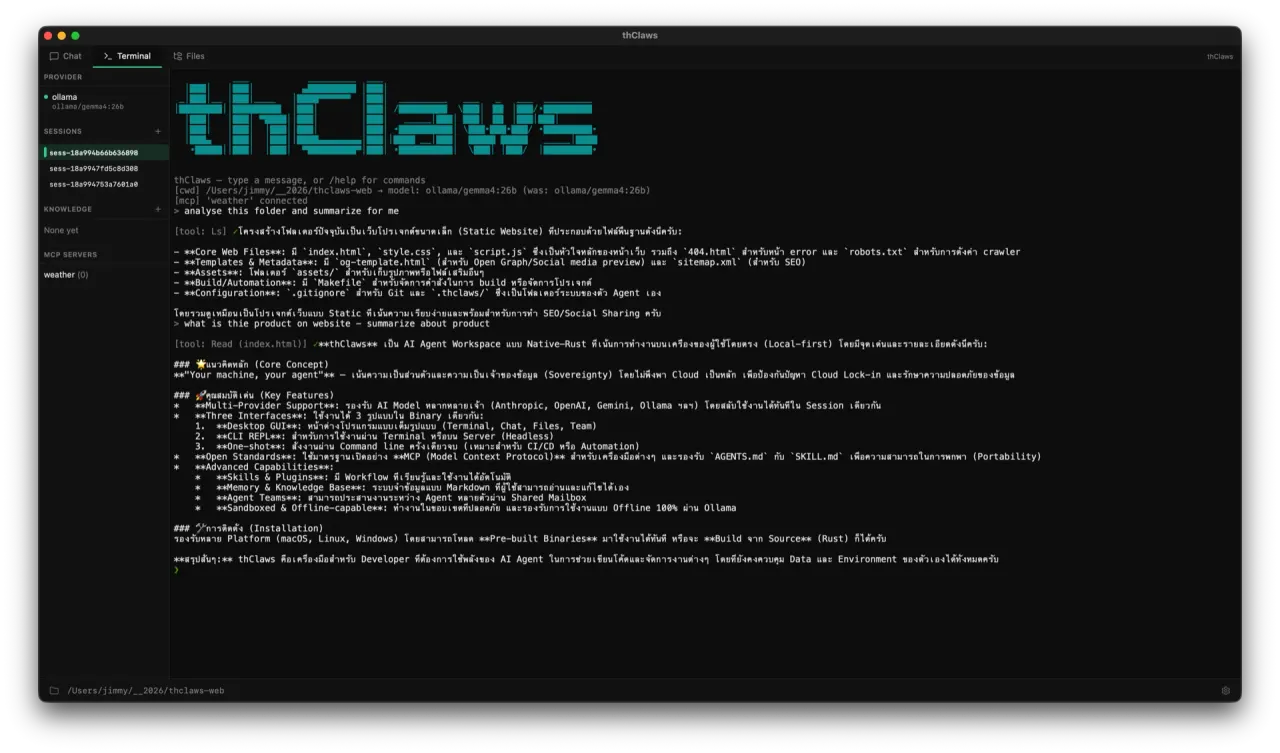
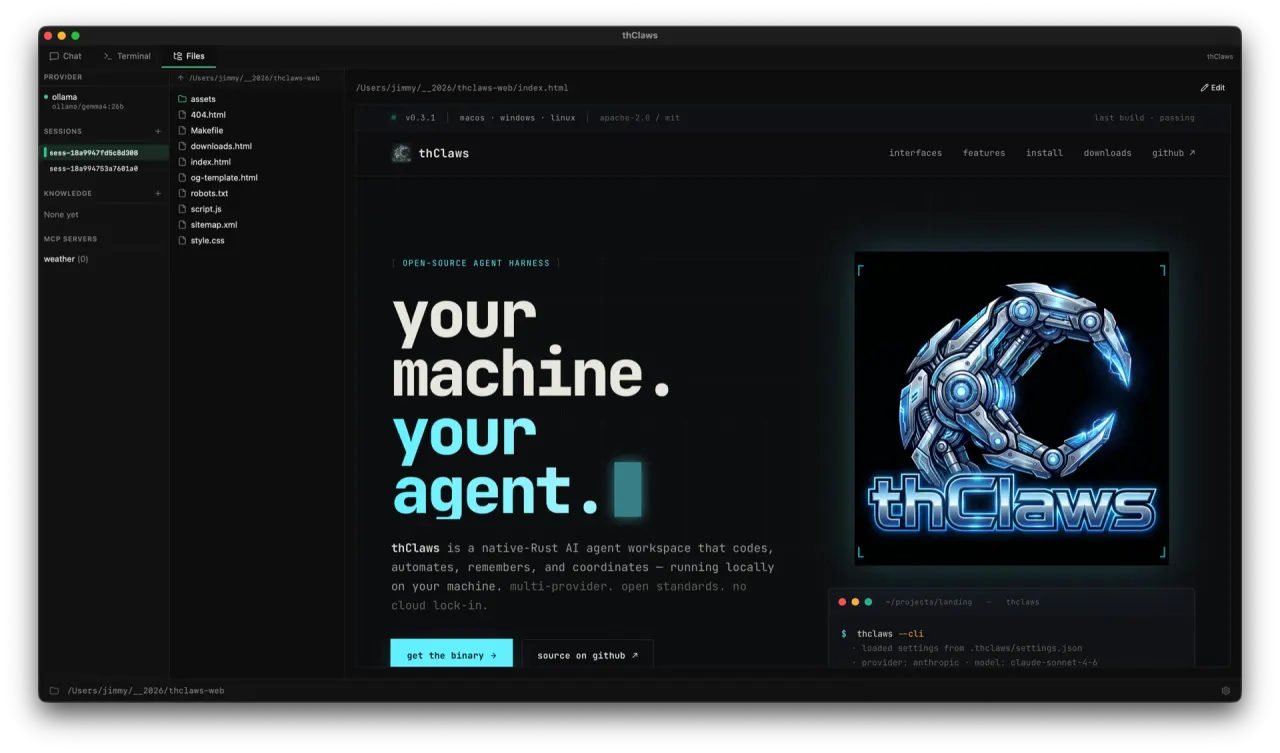
thClaws is an AI agent workspace written in Rust and shipped as a single binary. The desktop window puts Terminal, Chat and Files tabs around one agent loop, and the same binary also runs as an interactive CLI, a one-shot non-interactive command, or a local web surface.
- Bring your own provider — Anthropic, OpenAI, Gemini, DeepSeek, Qwen, OpenRouter, Azure AI Foundry, or an OpenAI-compatible endpoint; Ollama and LM Studio keep everything on your own machine.
- Open extension points: Model Context Protocol servers, SKILL.md skills, plugins, hooks and AGENTS.md project instructions.
- Plan mode, subagents and multi-agent teams for work that takes more than one turn.
- Markdown knowledge bases and a persistent memory store you can read, edit and commit.
- Scheduled and long-running jobs, plus session resume from plain JSONL transcripts.
Sandbox: this package ships a tight default — display, GPU, network and the Secret Service for API-key storage. It grants no host command access, so the agent's shell and file tools act inside the sandbox.
Because of that, the only directory thClaws can see out of the box is its own sandboxed home. To let it work on real projects, grant the directories you want it to have, for example:
flatpak override --user --filesystem=~/Projects ai.thclaws.thClaws
Replace the path with your own, repeat the flag for more directories, and undo everything with:
flatpak override --user --reset ai.thclaws.thClaws
Details
- Developer
- thClaws (ThaiGPT Co., Ltd.)
- License
- MIT OR Apache-2.0
- Version
- 0.138.0 · 2026-09-25
- Website
- Homepage
- Support
- Help & support
- Source
- thClaws
- Packaging
- flatpark/registry
Permissions
1 to reviewNetwork access
Can reach the internet and local network
Inter-process communication
Shares the IPC namespace with the host
X11 (fallback)
Talk to org.freedesktop.secrets
Wayland display
GPU acceleration