

AeroFTP
Developer-approvedAle (axpdev)
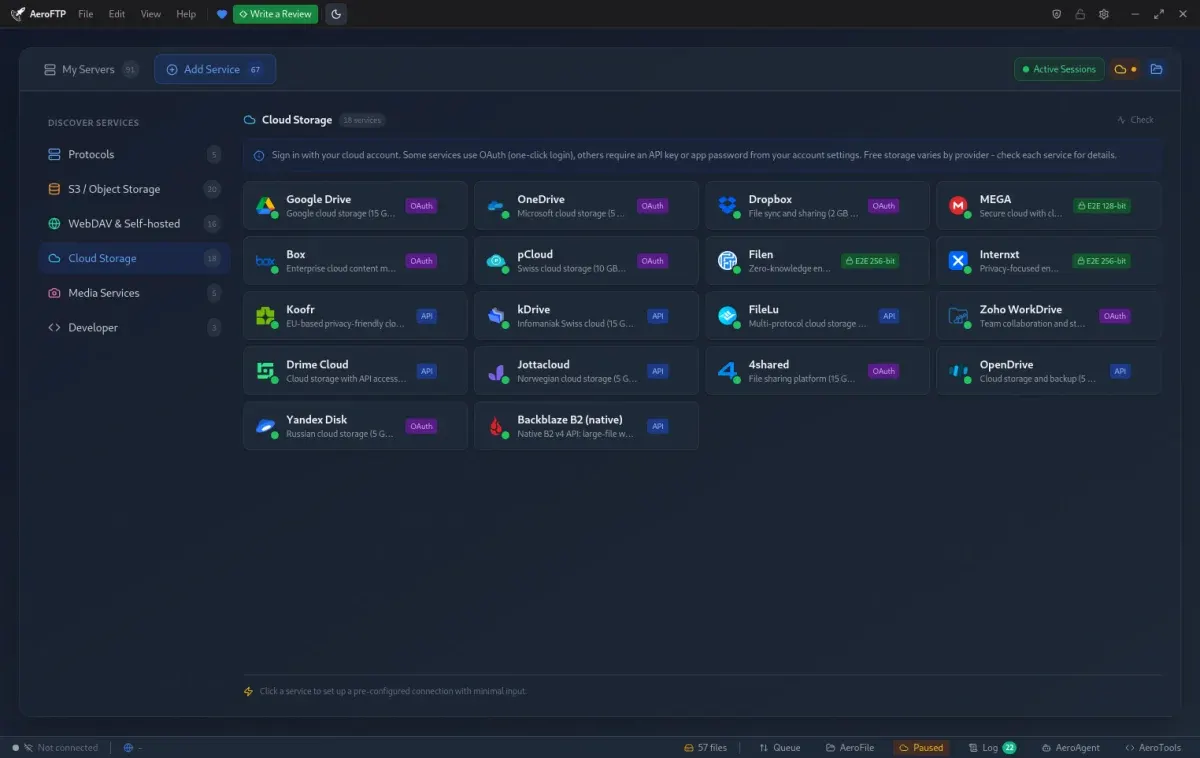
Multi-protocol file client for FTP, FTPS, SFTP, WebDAV, S3 and cloud storage
Copied! Paste it into a terminal and press Enter to install.
About
This is a community package of AeroFTP, maintained independently and unaffiliated with the AeroFTP project. It repackages the official upstream Linux build unmodified.
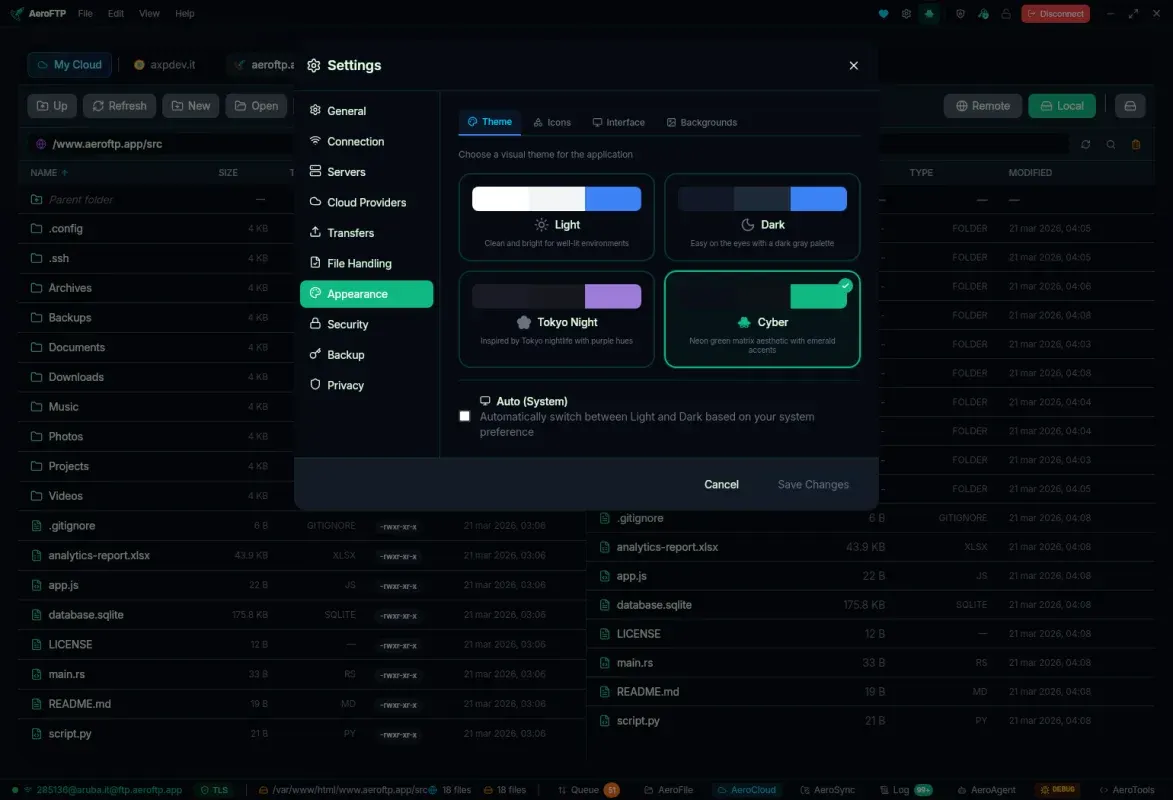
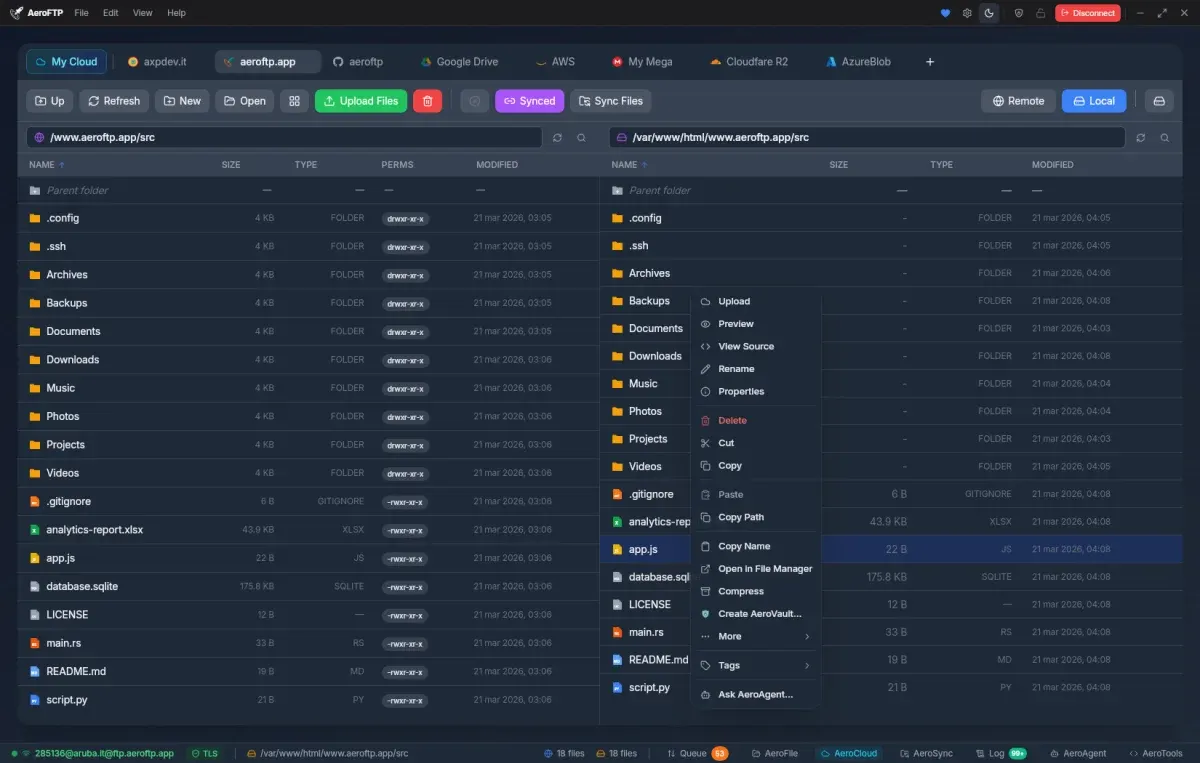
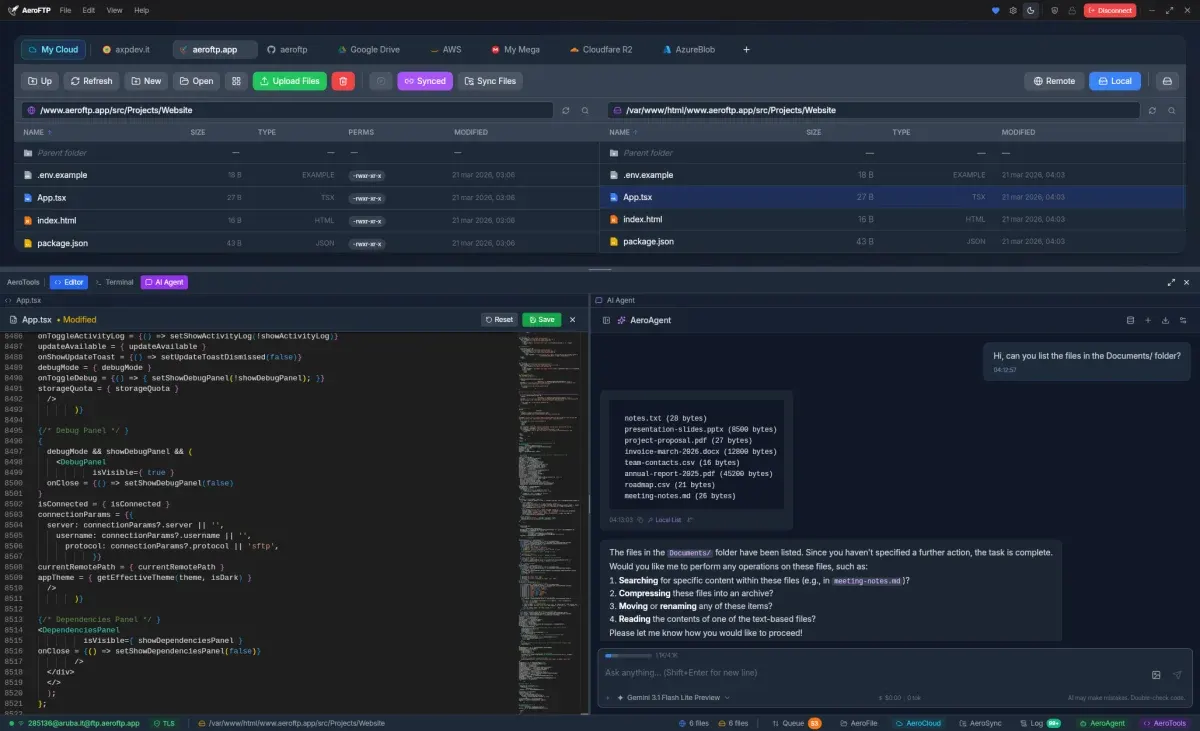
AeroFTP is a cross-platform desktop client for transferring files over FTP, FTPS, SFTP, WebDAV, S3-compatible storage, GitHub and cloud providers, with a two-pane browser, an encrypted local vault for credentials, and a built-in media preview.
- Connect over FTP, FTPS, SFTP, WebDAV and S3-compatible storage.
- Two-pane transfers with a queue, and previews for text, images and media.
- Credentials stored in a local AES-256-GCM vault, or in the system keyring.
- Export connection profiles to rclone, WinSCP and FileZilla formats.
Permissions: this package keeps a tight sandbox by default — display, GPU, audio, network, a tray icon, and access to the system keyring for saved passwords. No filesystem access is pre-granted, which has one consequence you should know about before installing: AeroFTP's local pane browses the sandbox home under ~/.var/app/com.aeroftp.AeroFTP, not your real home directory. Transfers to and from anywhere else go through the desktop portal's file chooser.
To point the local pane at your real home directory — the way upstream's own build behaves — run flatpak override --user --filesystem=home com.aeroftp.AeroFTP. Narrower grants work too, for example --filesystem=~/Documents. For removable media, add --filesystem=/run/media. Note that the in-app updater cannot work here: it installs a .deb or .rpm through pkexec, which a read-only Flatpak install does not allow. Updates arrive through Flatpak instead.
Details
- Developer
- Ale (axpdev)
- License
- GPL-3.0-or-later
- Version
- 4.1.9 · 2026-09-01
- Website
- Homepage
- Source
- AeroFTP
- Packaging
- flatpark/registry
Permissions
5 to reviewNetwork access
Can reach the internet and local network
Files: xdg-run/tray-icon:create
Home folder
Files: /media
Files: /run/media
Inter-process communication
Shares the IPC namespace with the host
X11 (fallback)
Audio (PulseAudio)
Talk to org.kde.StatusNotifierWatcher
Talk to org.freedesktop.secrets
Wayland display
GPU acceleration