

Aptakube
AptakubeProprietary
Modern, lightweight and multi-cluster Kubernetes management UI
Copied! Paste it into a terminal and press Enter to install.
About
This is a community package of Aptakube, maintained independently and unaffiliated with the Aptakube project. It repackages the official upstream Linux build unmodified. Aptakube is proprietary software; using it means accepting the vendor's own licence terms.
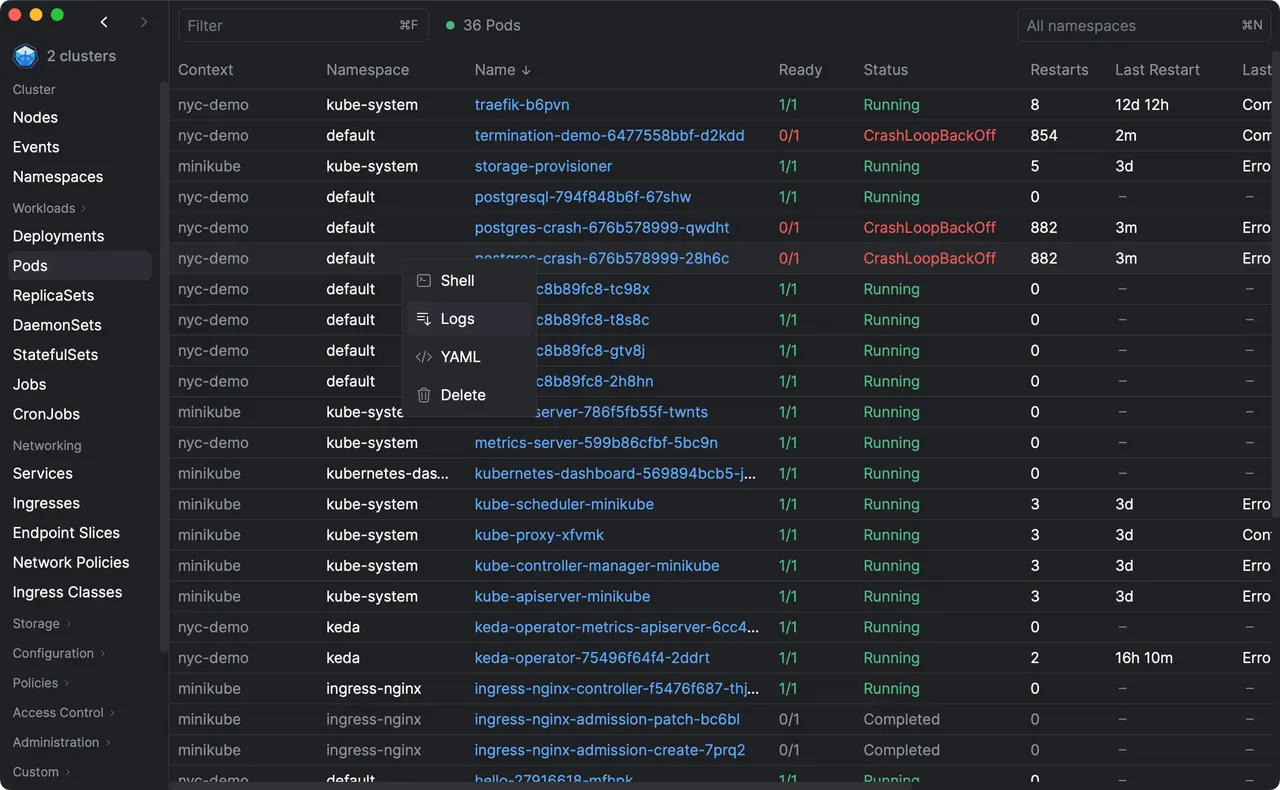
Aptakube is a desktop client for Kubernetes. You can connect to multiple clusters, manage workloads, view logs, compare resources, and a lot more. It talks to the Kubernetes API directly, so no kubectl installation is required for browsing or managing resources.
Permissions: this package grants display, GPU, network (every cluster is reached over the network), and read-write access to ~/.kube, because switching the active context rewrites your kubeconfig. No other part of your home directory is exposed. If your kubeconfig points at certificates or token files kept elsewhere, grant that path with flatpak override --user --filesystem=~/path/to/certs com.aptakube.Aptakube.
Host access: this package can run programs on your computer outside the sandbox, and you should understand that before installing it. Two Aptakube features require it. Managed-cloud clusters (EKS, GKE, AKS) authenticate by executing a credential helper named in your kubeconfig — aws, gke-gcloud-auth-plugin, kubelogin and similar — which lives on your system, holds your cloud credentials, and cannot run inside the sandbox. "Open Shell" likewise launches your terminal emulator, which is a host application. This package therefore ships small shims that forward those specific commands to the host. The practical consequence is that Aptakube's sandbox is not a security boundary against Aptakube itself: whatever it invokes through a shim runs with your normal user privileges.
Only a fixed list of commands is forwarded: aws, aws-iam-authenticator, az, doctl, gcloud, gke-gcloud-auth-plugin, kubectl and kubelogin for authentication, and warp-terminal, gnome-terminal, ptyxis, konsole, kitty, ghostty and alacritty for Open Shell. A kubeconfig naming any other exec plugin will report that the command was not found; please open an issue against the FlatPark packaging so the list can be extended. If you only use clusters whose kubeconfig carries its own certificate or token — k3s, kind, minikube, self-managed clusters, service-account tokens — you can remove the host access entirely with flatpak override --user --no-talk-name=org.freedesktop.Flatpak com.aptakube.Aptakube, and everything except cloud authentication and Open Shell will keep working. The shims then fail with a clear message rather than misbehaving.
Details
- Developer
- Aptakube
- License
- Proprietary
- Runtime
- GNOME 51
- Architectures
- x86_64
- Version
- 1.22.2 · 2026-11-03
- Website
- Homepage
- Source
- Aptakube
- Packaging
- flatpark/registry
Permissions
3 to reviewNetwork access
Can reach the internet and local network
Files: ~/.kube
Talk to org.freedesktop.Flatpak
Can run commands on the host via flatpak-spawn
Inter-process communication
Shares the IPC namespace with the host
X11 (fallback)
Wayland display
GPU acceleration
Packaging
Reduced isolationRuns commands on your system
kubectl and the cloud CLI auth helpers (aws, az, gcloud, doctl and others) run on your system through flatpak-spawn, so your own tools and kubeconfig credentials work.