

Sele
Developer-approvedChipi Chapa Corp
Desktop workspace for AI coding agents and local projects
Copied! Paste it into a terminal and press Enter to install.
About
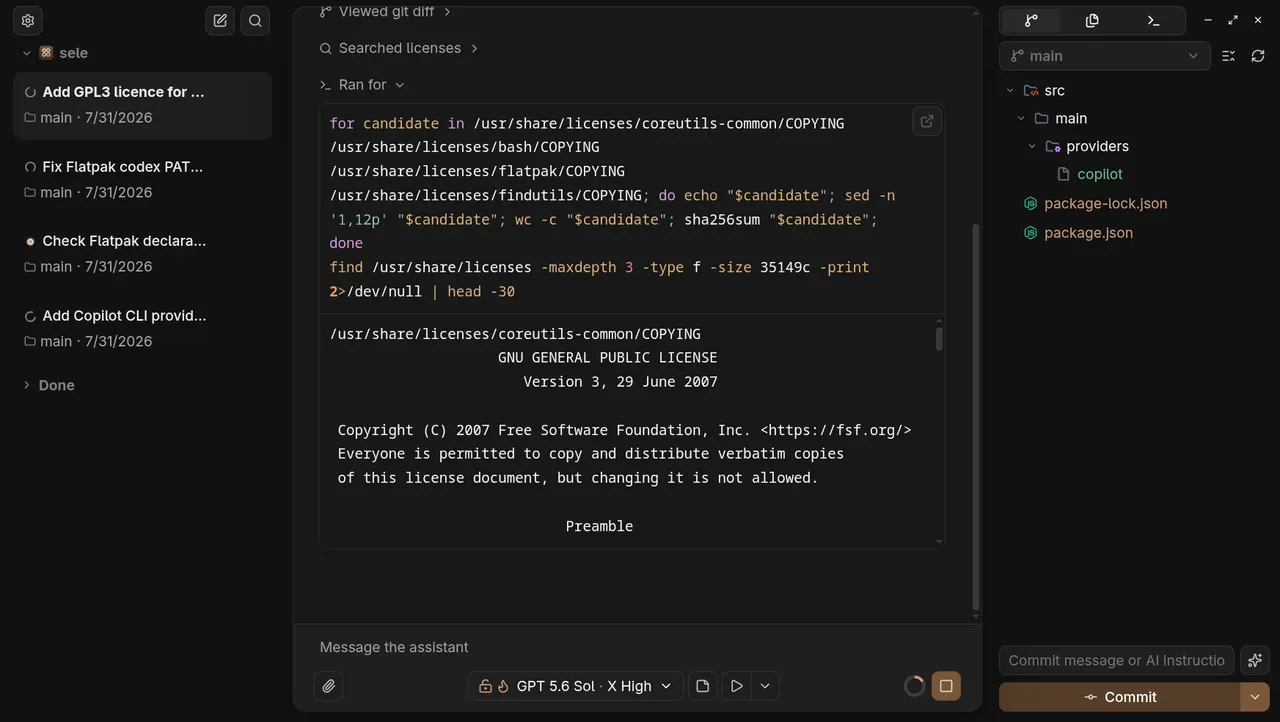
Sele is a desktop AI harness for working with OpenAI Codex, Anthropic Claude Code, GitHub Copilot, and OpenCode across local projects. It brings conversations, project context, code changes, file editing, and terminal sessions together in one focused workspace.
Review changes as you work, move between projects and conversations, and keep the tools needed for agent-assisted development close at hand.
This FlatPark package repackages the official upstream build unmodified. Install and authenticate the coding-agent CLI you want to use on your host system before starting Sele. These tools are not bundled here.
The Flatpak uses host command execution and filesystem access so that coding agents, Git, shells, and developer tools installed on the computer remain fully available to Sele and its AI agents. This grants the app permission to execute arbitrary host commands and read and edit host files, beyond the Flatpak sandbox.
Details
- Developer
- Chipi Chapa Corp
- License
- GPL-3.0-only
- Runtime
- Freedesktop 26.08
- Architectures
- x86_64
- Version
- 3.5.0 · 2026-10-08
- Website
- Homepage
- Source
- Sele
- Packaging
- flatpark/registry
Permissions
3 to reviewAll system files
Network access
Can reach the internet and local network
Talk to org.freedesktop.Flatpak
Can run commands on the host via flatpak-spawn
X11 (fallback)
Inter-process communication
Shares the IPC namespace with the host
unset-env: ELECTRON_RUN_AS_NODE
Wayland display
GPU acceleration
Packaging
Reduced isolationRuns commands on your system
Sele runs your installed coding-agent CLIs, Git and shells on the host through flatpak-spawn, and reads and edits local project files. These permissions allow arbitrary host commands and access to host files.