
Stirling PDF
Stirling PDF Inc.
Edit, merge, split, sign and convert PDFs on your own machine
Copied! Paste it into a terminal and press Enter to install.
About
This is a community package of Stirling PDF, maintained independently. It repackages the official upstream Linux desktop build unmodified.
Stirling PDF is a PDF workbench that runs entirely on your own machine. The desktop build pairs a native window with the Stirling PDF engine, which upstream bundles into the same package as a Java runtime and starts on a local port when the app launches; your documents are processed there and are not uploaded anywhere. Ghostscript, qpdf and Tesseract are packaged alongside it for the tools that call out to them.
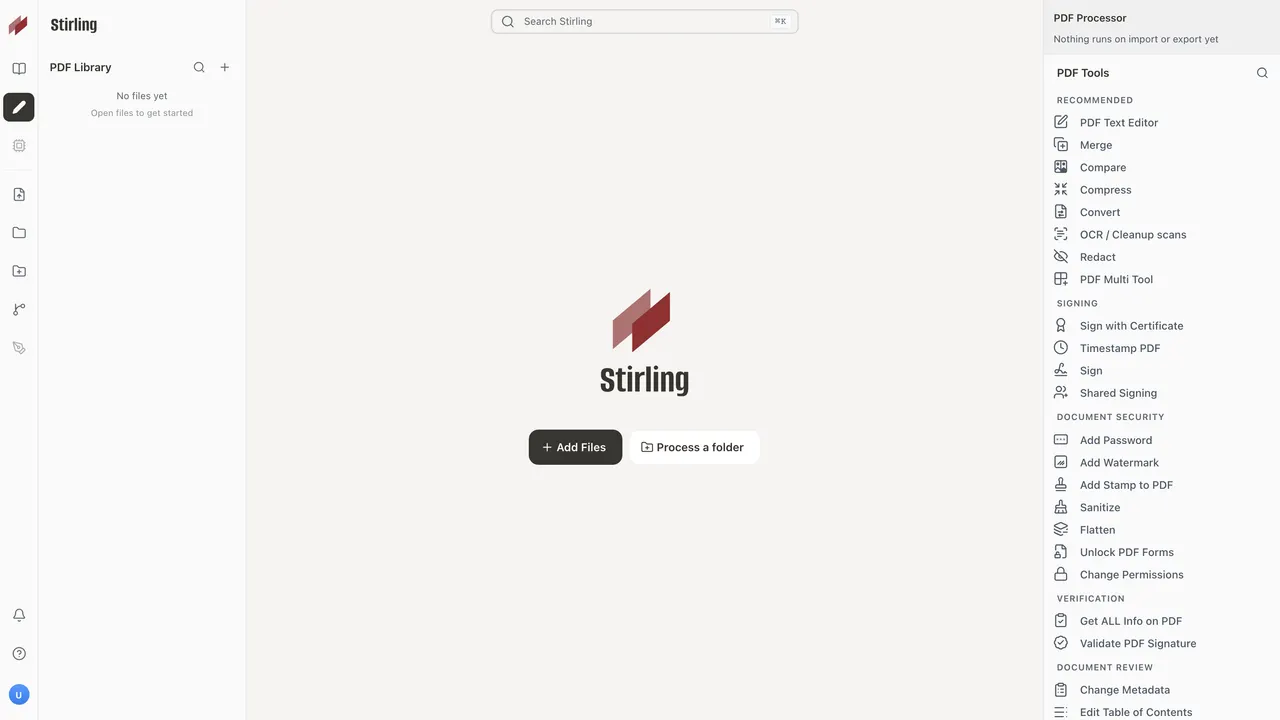
- Organize documents: merge, split by pages, size, chapters or sections, rotate, rearrange, scale, crop, overlay and lay out booklets
- Read and edit: page viewer, multi-tool page editor, an alpha text editor, and side-by-side comparison of two documents
- Sign and secure: draw a signature or sign with a certificate, validate and remove signatures, add timestamps, set passwords and permissions, and sanitize a file
- Redact text manually or by search, flatten forms, fill and modify form fields, unlock forms, and remove annotations
- Annotate: watermarks, stamps, page numbers, attachments and images
- Extract and export: images, plain text, CSV, JSON, CBZ and per-page images; build PDFs from images, JSON or Markdown
- Metadata and structure: edit document metadata and the table of contents, and get a full report on any file
- Make scanned documents searchable with OCR, and turn sideways or upside-down scanned pages the right way up
The package is sandboxed: it has no network access and no access to any directory outside its own. PDFs are opened and saved through the file-chooser portal, so the app only ever sees the files you hand it, and its settings, logs and working files live under ~/.var/app/com.stirlingpdf.StirlingPDF. Because the sandbox has its own network namespace, the local engine's HTTP API is reachable only from inside the app and not from the rest of the machine.
Two things behave differently inside this package, and it is worth knowing before you install:
- Some of Stirling PDF's tools are handed to command-line programs that it looks for on the system. This package carries three of them - Ghostscript, qpdf and Tesseract - so repair, the scanner effect, invert, the conversions to and from vector formats and OCR all work, Auto Rotate can read the orientation of scanned pages, and compression gains its Ghostscript pass at the higher optimisation levels. OCR comes with English only. The ones that are not in the sandbox are LibreOffice, WeasyPrint, Calibre, pdftohtml and unrar, so the tools that need them stay in the tool list but greyed out and cannot be selected: extracting scanned images, the conversions to and from Office documents, converting to HTML, Markdown, RTF, XML, PDF/A, PDF/UA, EPUB or CBR, building a PDF from a URL, an HTML page or an .eml message, the accessibility report and automatic form detection. Everything else, compression and cropping included, runs in the engine itself.
- The in-app updater cannot replace a packaged build, so new upstream releases arrive as Flatpak updates instead.
One optional capability is not granted by default; enable it with "flatpak override" if you need it:
- Sign in to a Stirling PDF account, or point the app at a Stirling PDF server you host yourself instead of the bundled local engine:
flatpak override --user --share=network --talk-name=org.freedesktop.secrets com.stirlingpdf.StirlingPDF(the second grant lets it store the login token in your keyring)
Stirling PDF is open source under the MIT licence, except for the desktop-specific parts of the app, which upstream licenses separately: free for trial, evaluation and minimal use, with production and business use requiring a Stirling PDF subscription. See the licence linked above before deploying it at work.
Details
- Developer
- Stirling PDF Inc.
- License
- MIT AND Proprietary
- Runtime
- GNOME 51
- Architectures
- x86_64
- Version
- 3.2.2 · 2026-10-24
- Website
- Homepage
- Support
- Help & support
- Source
- Stirling PDF
- Packaging
- flatpark/registry
Permissions
MinimalInter-process communication
Shares the IPC namespace with the host
X11 (fallback)
Persistent storage: .config/Stirling-PDF
Wayland display
GPU acceleration
Packaging
AdaptedAdds components the runtime lacks
Shipped next to the app: eng.traineddata, ghostscript-snap, leptonica, libidn12, libpaper2, osd.traineddata, qpdf, tesseract