

CodeBuddy CN
TencentProprietary
Tencent's AI-native code editor (China build)
Copied! Paste it into a terminal and press Enter to install.
About
This is a community package of CodeBuddy CN, maintained independently and unaffiliated with Tencent. It repackages the official upstream Linux Debian build unmodified.
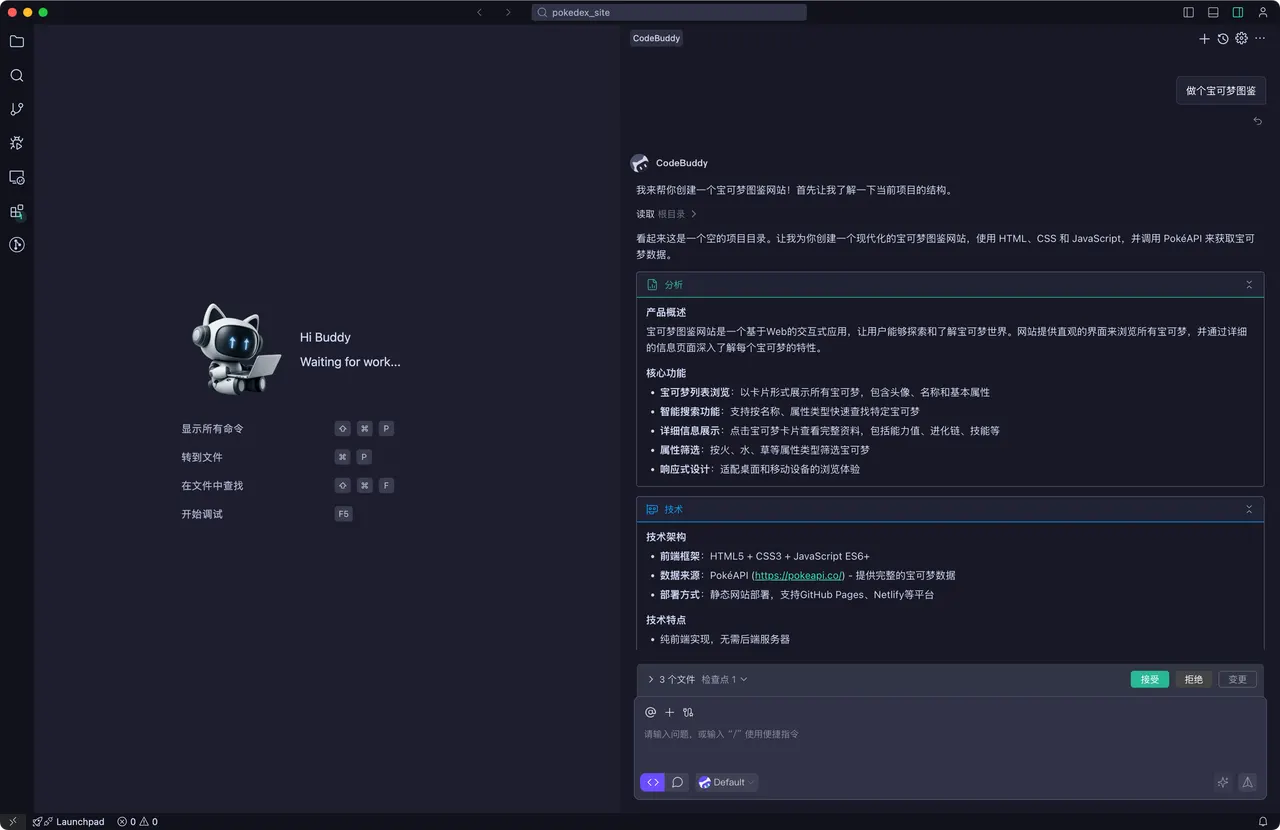
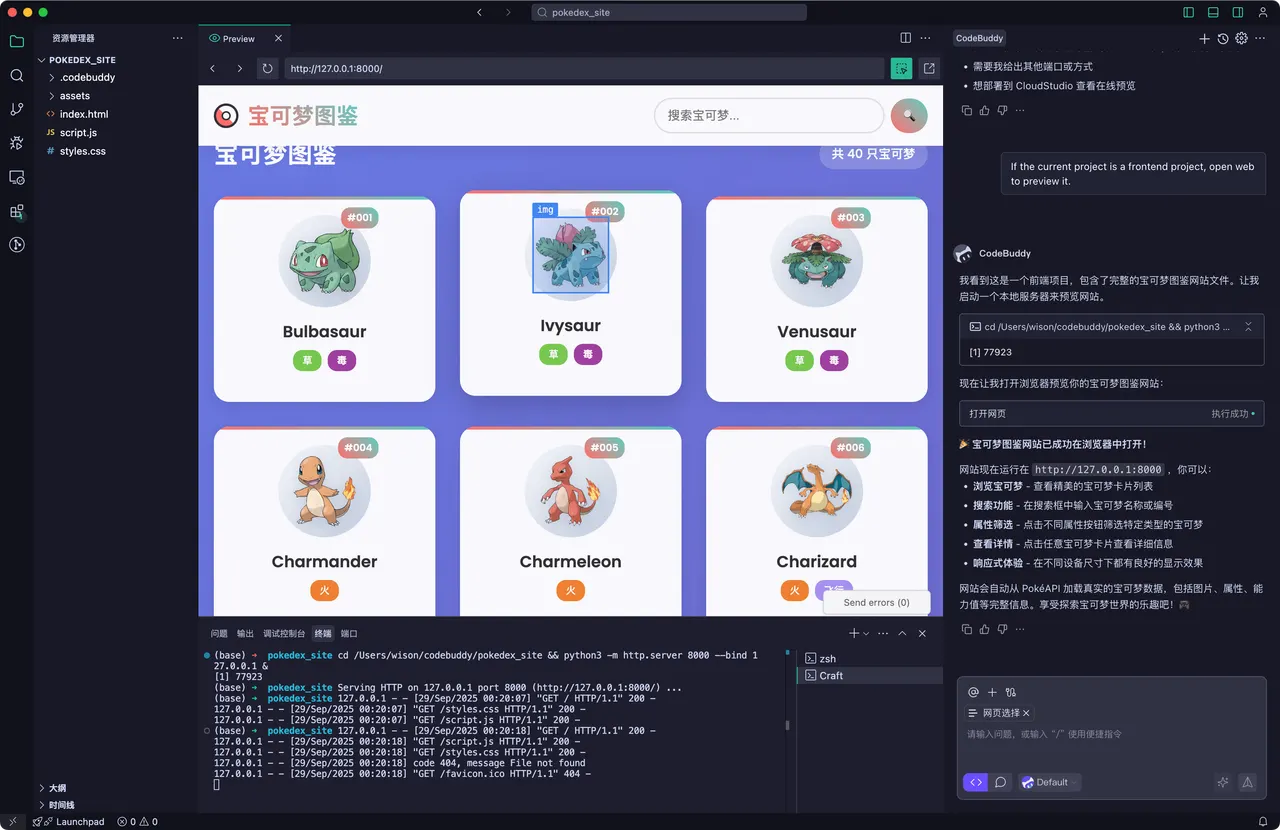
CodeBuddy is Tencent's AI-native code editor, built on Code - OSS (the open-source core of Visual Studio Code). It keeps the editor, extensions and keybindings of VS Code and adds an agent that plans and carries out multi-step work across a codebase, inline edits from a prompt, and a chat with the open project in context. Extensions are installed from the Open VSX registry.
- Hand the agent a task and review the edits it proposes across files.
- Rewrite a selection from a natural-language instruction, in place.
- Ask questions about the open project, with the relevant code in context.
- Preview a running project and iterate on it alongside the agent.
This is the China ("CN") build — the only one Tencent ships for Linux. Its interface is Chinese-first and the AI features require signing in with a Tencent Cloud account; the editor itself is free to install. x86_64 only.
Permissions: this package grants network, display, GPU, audio, notifications and keyring access, plus its own ~/.codebuddycn directory, where CodeBuddy keeps your extensions, agent data and CLI state (user settings go to the sandboxed ~/.config). It does not grant broad home-directory access — pick a project through the file-chooser portal and CodeBuddy can work in it.
The editor and its agent shell out to developer tools that no Flatpak runtime ships. This package puts a bridge on the app's PATH that forwards those commands to the same tools on your host, so your existing Git, language toolchains and test runners — and the credentials you have already authorized there — are what run in the integrated terminal and under the agent. FlatPark does not bundle or authenticate any of them. Commands that the sandbox provides itself, including the shell and coreutils, keep running inside it.
Because host commands run against real host paths, a project opened through the portal is visible to the editor but not at the same path on the host. To let the two line up, grant access to where your projects live:
- Open host projects at their real paths:
flatpak override --user --filesystem=home com.tencent.codebuddycn - Or scope it to one directory:
flatpak override --user --filesystem=~/Projects com.tencent.codebuddycn - Reuse your host SSH keys for Git remotes:
flatpak override --user --filesystem=~/.ssh:ro com.tencent.codebuddycn
Updates come through Flatpak: this package tracks upstream's own version feed, so a new upstream build arrives with flatpak update. CodeBuddy's built-in updater stays switched off here.
Details
- Developer
- Tencent
- License
- Proprietary
- Runtime
- Freedesktop 26.08
- Architectures
- x86_64, aarch64
- Version
- 4.12.0.37847260-b4c35ed0-cn · 2026-09-04
- Website
- Homepage
- Support
- Help & support
- Source
- CodeBuddy CN
- Packaging
- flatpark/registry
Permissions
3 to reviewNetwork access
Can reach the internet and local network
Files: ~/.codebuddycn:create
Talk to org.freedesktop.Flatpak
Can run commands on the host via flatpak-spawn
Inter-process communication
Shares the IPC namespace with the host
X11 (fallback)
Audio (PulseAudio)
Talk to org.freedesktop.Notifications
Talk to org.freedesktop.secrets
unset-env: ELECTRON_RUN_AS_NODE
Wayland display
GPU acceleration
Packaging
Reduced isolationRuns commands on your system
Commands the editor and its agent runs go to your system through a host-command bridge (flatpak-spawn), so they run outside the sandbox with your user's access. The sandbox's own shell and core tools stay local.