

KoboldCpp (CUDA)
LostRuins
Run local AI models with NVIDIA CUDA
Copied! Paste it into a terminal and press Enter to install.
About
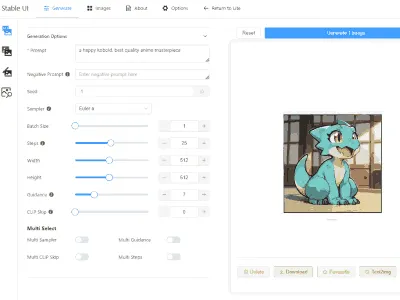
A community package of the unmodified official KoboldCpp CUDA Linux build. Run local GGUF language models with a graphical launcher, a browser chat interface and an HTTP API. Model downloads have their own licenses.
Choose a model in the launcher, then open http://127.0.0.1:5001 in your browser after loading it. The CUDA and NoCUDA editions use separate ports and private data directories. This edition includes NVIDIA CUDA support and requires a compatible host NVIDIA driver for CUDA acceleration. The oldpc build is not included.
Models and settings in Documents are accessible through the launcher's file chooser. Relative downloads, configurations and databases are stored in this app's private persistent data directory. Save launcher settings as a .kcpps file and load that file on the next launch.
Command-line options can be passed after flatpak run io.github.LostRuins.koboldcpp.CUDA. For example: --skiplauncher --model /path/to/model.gguf. The server listens on loopback by default; pass --host 0.0.0.0 to make it reachable over your network.
For another model directory, grant only the directory you need: flatpak override --user --filesystem=/path/to/models:ro io.github.LostRuins.koboldcpp.CUDA. For optional microphone and audio features: flatpak override --user --socket=pulseaudio io.github.LostRuins.koboldcpp.CUDA. Undo overrides with flatpak override --user --reset io.github.LostRuins.koboldcpp.CUDA. Host toolchains and host commands are not available to agent or MCP tools inside the sandbox.
Details
- Developer
- LostRuins
- License
- AGPL-3.0-only
- Runtime
- Freedesktop 26.08
- Architectures
- x86_64
- Version
- 1.125 · 2026-11-22
- Website
- Homepage
- Support
- Help & support
- Source
- KoboldCpp (CUDA)
- Packaging
- flatpark/registry
Permissions
4 to reviewAll devices (incl. cameras, USB)
Network access
Can reach the internet and local network
X11 windowing system
Legacy display protocol; can observe input to other X11 windows
Files: xdg-documents
Inter-process communication
Shares the IPC namespace with the host
Packaging
UnmodifiedRuns the vendor's build as shipped — nothing added or changed.
What the levels mean →