

Pear Desktop
Pear Desktop contributors
Desktop music streaming client with a plugin system
Copied! Paste it into a terminal and press Enter to install.
About
This is a community package of Pear Desktop, maintained independently. It repackages the official upstream build unmodified.
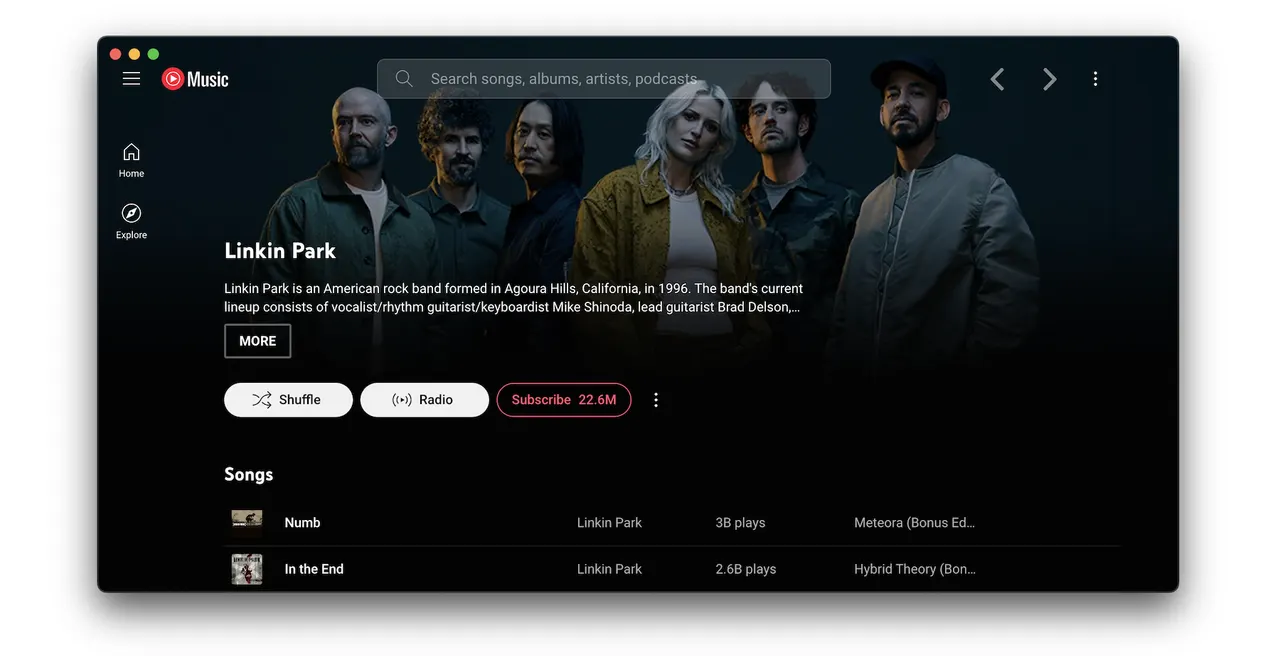
Pear Desktop is an independent, unofficial desktop client for the YouTube Music web app, extended with a plugin system. It is not affiliated with, authorized by or endorsed by Google LLC or YouTube, and it requires your own YouTube Music account.
Plugins that ship with it include:
- An equalizer, audio compressor, crossfade, playback speed and precise volume control.
- Synced lyrics, an ambient mode and picture-in-picture.
- Discord rich presence, Last.fm-style scrobbling and OBS integrations.
- SponsorBlock, skipping disliked songs and skipping silences.
- A local API server, global shortcuts and desktop media controls.
- A downloader that saves audio to your Music directory.
The package can play audio, show notifications and expose media controls over MPRIS, so keyboard media keys and the desktop's now-playing applet work. Its only filesystem grant is your Music directory, which is where the downloader plugin writes; everything else is reached through the file chooser portal, and the application's own settings and plugin data stay in its private per-app directory.
To let it write somewhere else, grant only that location: flatpak override --user --filesystem=/path/to/music io.github.pear_devs.pear_desktop. The Discord rich presence plugin needs Discord's local socket: flatpak override --user --filesystem=xdg-run/discord-ipc-0 io.github.pear_devs.pear_desktop. Remove custom grants with flatpak override --user --reset io.github.pear_devs.pear_desktop.
Upstream renamed the project to Pear Desktop; release 3.12.0 still carries the previous name in its own files, which is why the window class the application sets still uses it. Updates come through Flatpak, so on first run the package turns off the application's own update check; it can be switched back on from the Options menu.
Details
- Developer
- Pear Desktop contributors
- License
- MIT
- Runtime
- Freedesktop 26.08
- Architectures
- x86_64, aarch64
- Version
- 3.12.0 · 2026-06-28
- Website
- Homepage
- Source
- Pear Desktop
- Packaging
- flatpark/registry
Permissions
2 to reviewNetwork access
Can reach the internet and local network
Files: xdg-music
Inter-process communication
Shares the IPC namespace with the host
X11 (fallback)
Audio (PulseAudio)
Talk to org.freedesktop.Notifications
Talk to org.kde.StatusNotifierWatcher
Owns service org.mpris.MediaPlayer2.chromium.*
Owns service org.mpris.MediaPlayer2.YoutubeMusic.*
Talk to org.gnome.SessionManager
unset-env: ELECTRON_RUN_AS_NODE
Wayland display
GPU acceleration
Packaging
AdaptedPresets app settings
On first launch, writes a settings file that turns off the in-app updater and the tray icon.