

Fastpotify
Developer-approvedCarmine Paolino
Fast native Spotify client with local playback and Connect
Copied! Paste it into a terminal and press Enter to install.
About
This is a community package of Fastpotify, maintained independently and unaffiliated with the Fastpotify project. It repackages the official upstream Linux release build unmodified.
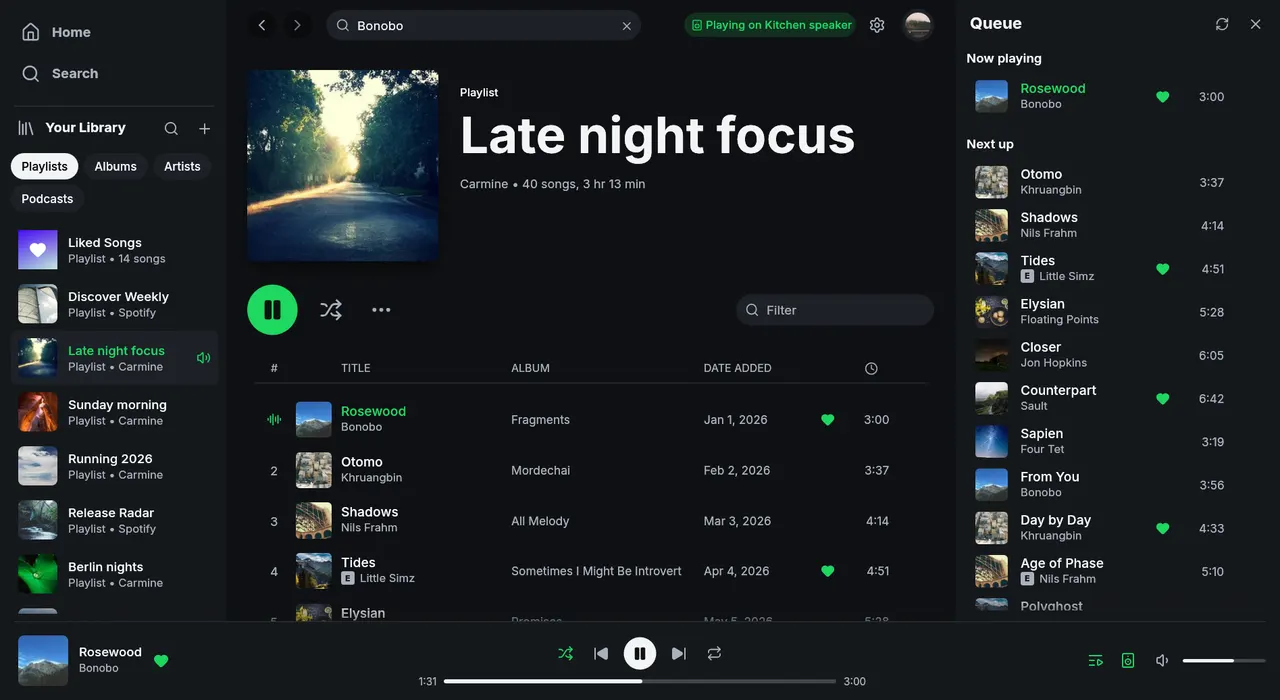
Fastpotify is a lightweight Spotify client written in Rust with egui, playing music through librespot. There is no browser engine in the process and it starts in well under a second.
- Plays music on this computer as a Spotify Connect device: gapless, up to 320 kbps, with optional volume normalisation and an on-disk audio cache.
- Controls playback on your other devices — speakers, phones, other computers — from the device picker.
- Discovers librespot, spotifyd and hardware Connect receivers on the local network over mDNS.
- Your whole library: playlists, Liked Songs, saved albums, followed artists, podcasts and saved episodes, with search and Home recommendations.
- Owned playlists can be created, renamed, described, reordered and edited.
- Keyboard-first, light and dark themes, MPRIS integration so media keys and playerctl work, and a system tray icon that keeps playback running when the window is closed.
Sign-in uses Spotify's own consent page (Authorization Code with PKCE); the app never sees your password. Playing music on this computer needs Spotify Premium. Fastpotify is an independent project and is not affiliated with Spotify.
This is an early upstream release (0.1.x). Two things to know, both tracked on the upstream issue tracker: non-Latin text such as Chinese, Japanese and Korean shows as blank boxes because the build ships Latin fonts only (crmne/fastpotify#4); and on a free (non-Premium) account, browsing and controlling other devices work, but choosing "play on this computer" currently ends the process (crmne/fastpotify#7). This package tracks upstream releases automatically, so fixes arrive as they ship.
Permissions: this package grants display, audio (PulseAudio/PipeWire), network access, the GPU device, MPRIS and the StatusNotifier tray. All settings, the refresh token, the librespot credential and the audio/artwork caches stay inside the sandbox under ~/.var/app/rocks.fastpotify.Fastpotify. No host filesystem access is granted or needed.
Optional overrides:
- Silence the tray and rely on MPRIS only:
flatpak override --user --no-talk-name=org.kde.StatusNotifierWatcher rocks.fastpotify.Fastpotify - Desktop notifications (not used by default):
flatpak override --user --talk-name=org.freedesktop.Notifications rocks.fastpotify.Fastpotify
Details
- Developer
- Carmine Paolino
- License
- MIT
- Version
- 0.7.1 · 2026-09-09
- Website
- Homepage
- Source
- Fastpotify
- Packaging
- flatpark/registry
Permissions
2 to reviewNetwork access
Can reach the internet and local network
Files: xdg-run/pipewire-0:ro
Inter-process communication
Shares the IPC namespace with the host
X11 (fallback)
Audio (PulseAudio)
Owns service org.mpris.MediaPlayer2.fastpotify
Owns service rocks.fastpotify.Instance
Owns service org.kde.StatusNotifierItem-919191-1
Talk to org.kde.StatusNotifierWatcher
Wayland display
GPU acceleration