

ZapFast
Carmine Paolino
Fast native WhatsApp client with an encrypted local archive
Copied! Paste it into a terminal and press Enter to install.
About
This is a community package of ZapFast, maintained independently and unaffiliated with the ZapFast project. It repackages the official upstream Linux release build unmodified.
ZapFast is a WhatsApp client written in Rust with egui. It links to your phone as a companion device and talks the WhatsApp Web protocol directly, so there is no browser engine in the process.
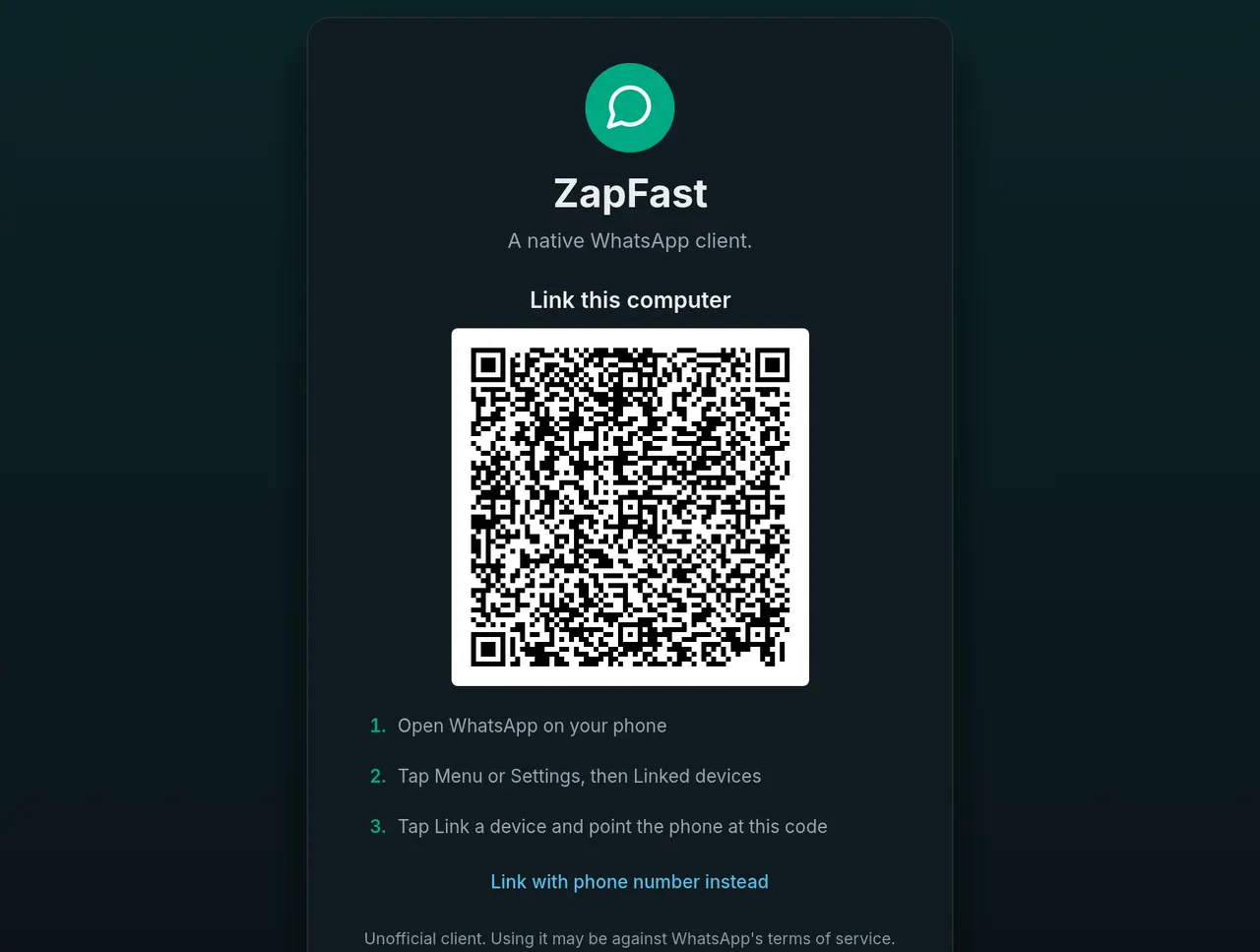
- Link by scanning a QR code with your phone; recent history is copied to this computer after linking.
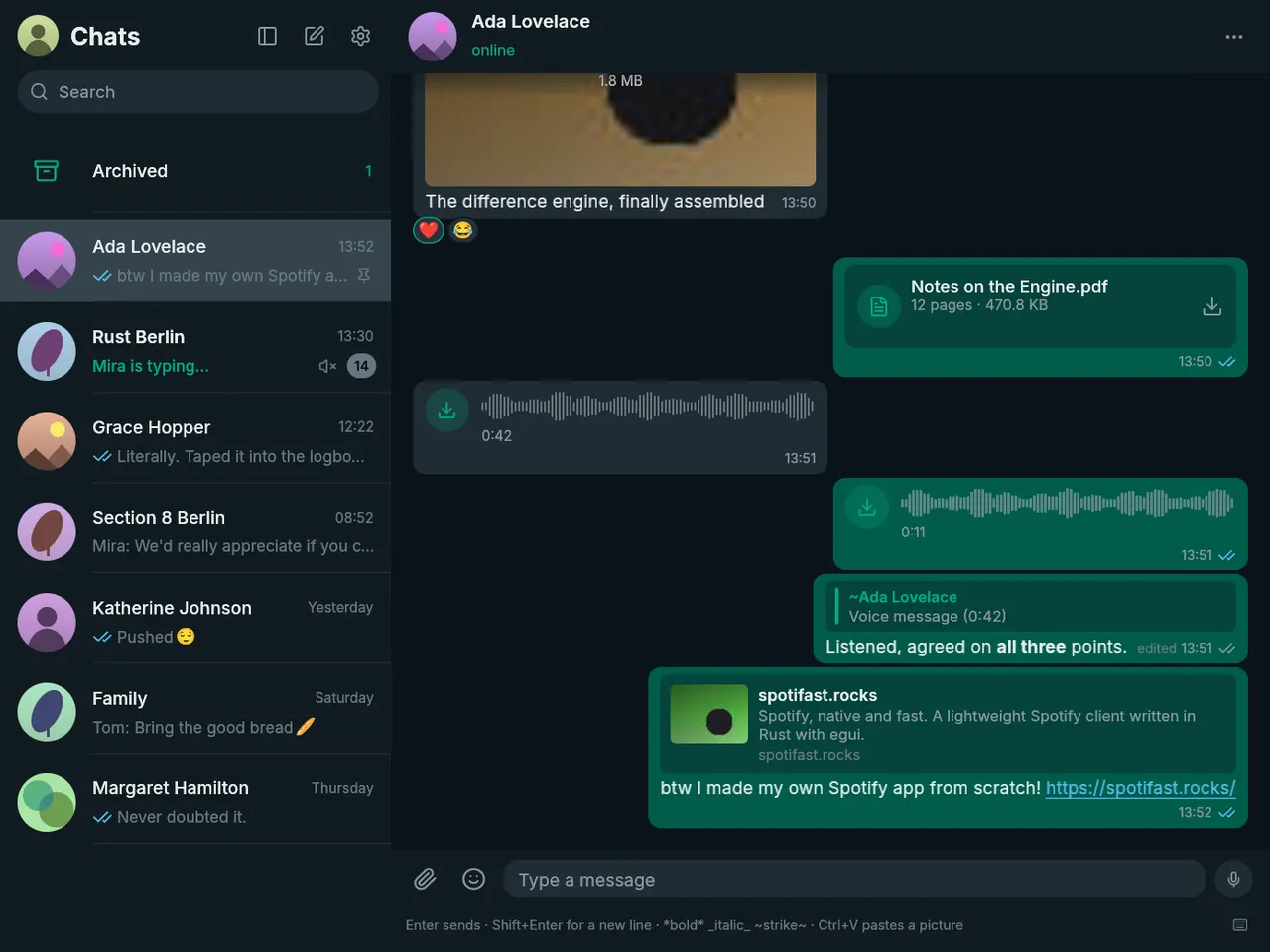
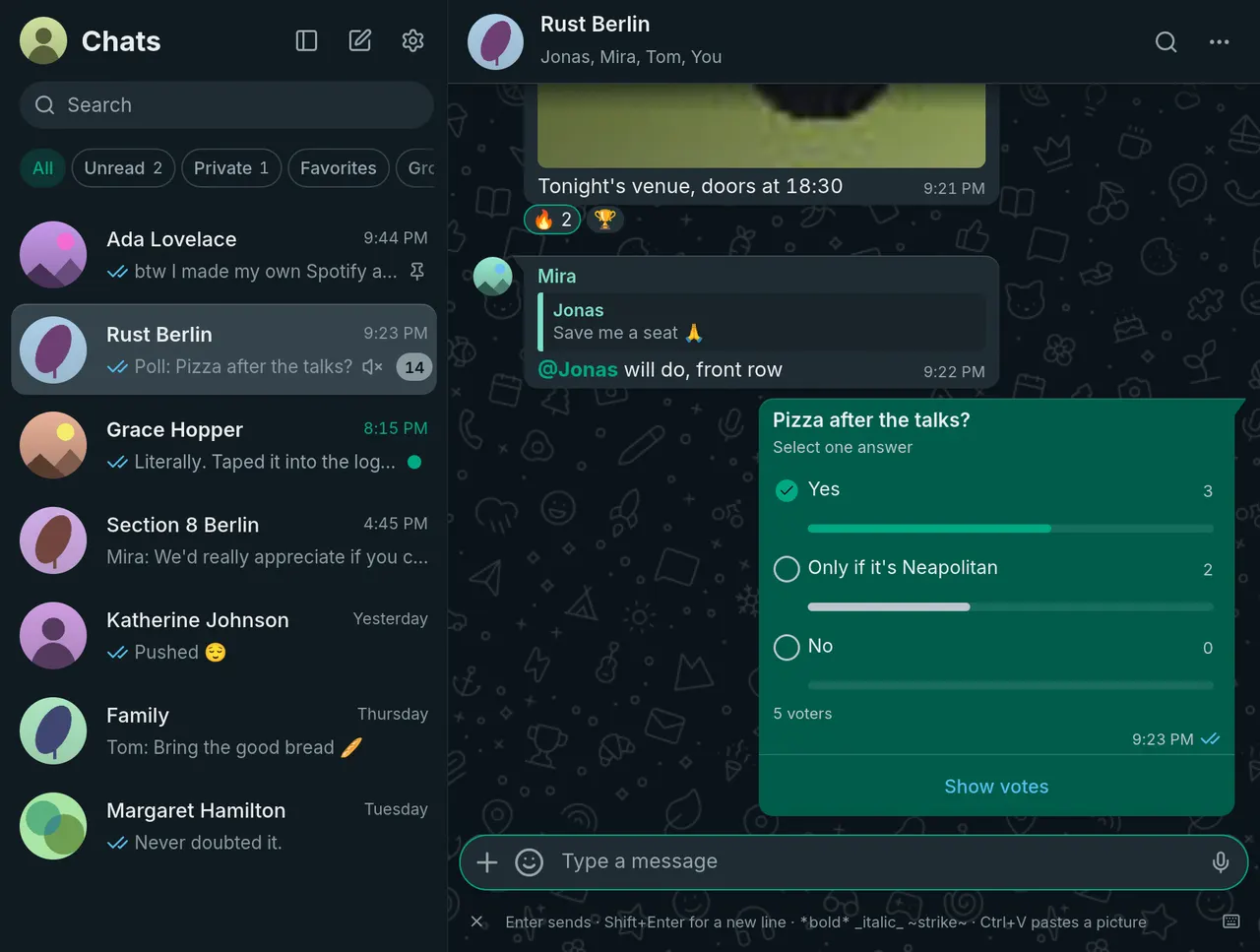
- Chats with pinned, unread, muted and archived states, typing indicators, read receipts and accent-insensitive search over chats, contacts and the local archive.
- Replies, reactions, edits, deletions, mentions, forwarding, link previews and WhatsApp formatting — bold, italic, strikethrough, code, lists and quotes.
- Attachments by paste, drag-and-drop or file picker, with captions; photos, stickers, GIFs, locations, contacts and polls render in the chat, and videos and documents open in your default desktop apps.
- Voice messages: play, seek, record and reply, with OGG/Opus handled in-process.
- Polls, disappearing-message timers, chat muting that syncs back to your phone, and a system tray icon that keeps the connection running when the window is closed.
The local message archive — messages, contacts and sticker metadata — is stored with SQLCipher and unlocked through your login keyring. ZapFast is an independent project and is not affiliated with WhatsApp or Meta; it needs an active WhatsApp account on a phone to link to.
Permissions: this package grants display, audio (PulseAudio/PipeWire, for playing and recording voice messages), network access, the GPU device, the Secret Service for the archive key, desktop notifications and the StatusNotifier tray. Settings, the encrypted archive and the media, avatar and sticker caches stay inside the sandbox under ~/.var/app/rocks.zapfast.ZapFast. Attachments are read and saved through the file-chooser portal, so no host filesystem access is granted or needed.
Optional overrides:
- Copying and pasting text works as shipped. Pasting an image into the composer needs either the Wayland data-control protocol, which a sandbox is not given, or an X11 connection — so on a Wayland session it wants X11:
flatpak override --user --socket=x11 rocks.zapfast.ZapFast - Follow an Omarchy desktop theme (Settings, Appearance, Follow system):
flatpak override --user --filesystem=~/.config/omarchy:ro --filesystem=~/.local/state/omarchy:ro rocks.zapfast.ZapFast - Silence the tray icon:
flatpak override --user --no-talk-name=org.kde.StatusNotifierWatcher rocks.zapfast.ZapFast - Turn off desktop notifications from outside the app:
flatpak override --user --no-talk-name=org.freedesktop.Notifications rocks.zapfast.ZapFast
What's New
v0.21.0 · 2026-11-01Details
- Developer
- Carmine Paolino
- License
- MIT
- Runtime
- Freedesktop 26.08
- Architectures
- x86_64, aarch64
- Version
- 0.21.0 · 2026-11-01
- Website
- Homepage
- Support
- Help & support
- Source
- ZapFast
- Packaging
- flatpark/registry
Permissions
1 to reviewNetwork access
Can reach the internet and local network
Inter-process communication
Shares the IPC namespace with the host
X11 (fallback)
Audio (PulseAudio)
Talk to org.freedesktop.secrets
Talk to org.freedesktop.Notifications
Talk to org.kde.StatusNotifierWatcher
Persistent storage: .local/state
Wayland display
GPU acceleration
Packaging
UnmodifiedRuns the vendor's build as shipped — nothing added or changed.
What the levels mean →