

Vial
Vial
Configure QMK and Vial keyboards in real time
Copied! Paste it into a terminal and press Enter to install.
About
This is a community package of Vial, maintained independently and unaffiliated with the Vial project. It repackages the official upstream AppImage unmodified and follows upstream releases automatically.
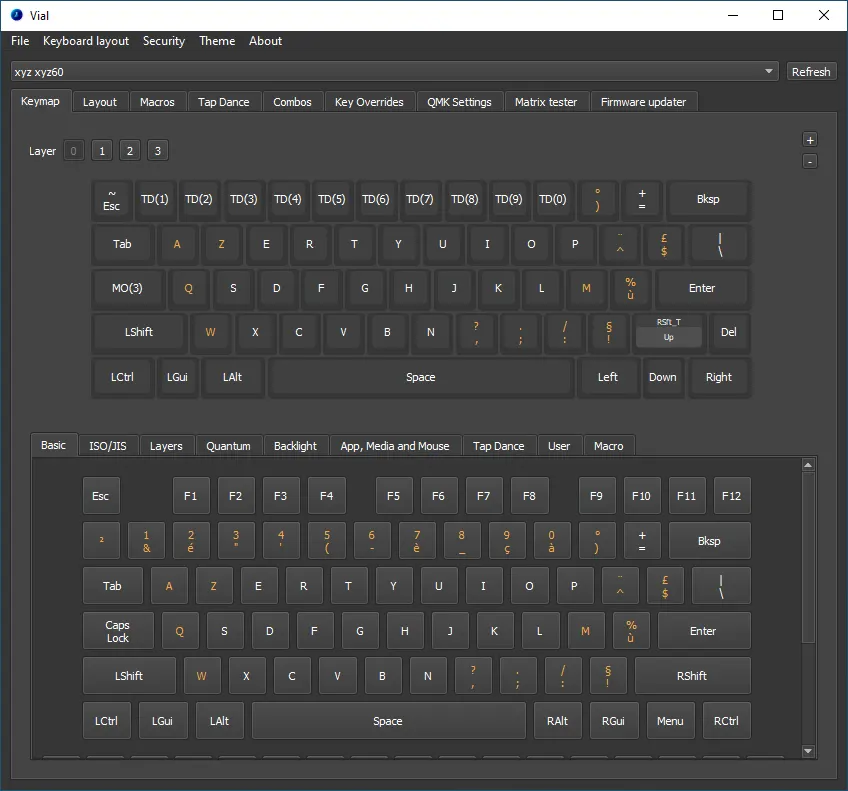
Vial is an open-source GUI and a QMK fork for configuring your keyboard in real time. Changes are written to the keyboard as you make them, with no firmware to compile or flash.
- Remap keys on every layer, with the full QMK keycode set.
- Macros, tap dance, combos, key overrides and alt-repeat keys.
- Rotary encoders, backlight and RGB lighting, and QMK settings.
- Save and load layouts as .vil files.
- Supports VIA keyboards after downloading the VIA definitions from the File menu.
Keyboards are reached through the Linux hidraw devices, so the host needs a udev rule that gives your user access to them; without it Vial reports "No devices detected". Upstream's guide has a ready-made rule: https://get.vial.today/manual/linux-udev.html
Permissions: this package grants raw device access (for the keyboard's hidraw device), the display, network access (downloading the VIA definitions) and your Documents and Downloads folders, where layouts and definitions are opened and saved. To reach layouts kept elsewhere, grant that folder, for example: flatpak override --user --filesystem=~/keyboards today.vial.Vial
Details
- Developer
- Vial
- License
- GPL-2.0-only
- Runtime
- Freedesktop 26.08
- Architectures
- x86_64
- Version
- 0.7.5 · 2025-08-02
- Website
- Homepage
- Support
- Help & support
- Source
- Vial
- Packaging
- flatpark/registry
Permissions
5 to reviewAll devices (incl. cameras, USB)
X11 windowing system
Legacy display protocol; can observe input to other X11 windows
Network access
Can reach the internet and local network
Files: xdg-documents
Files: xdg-download
Inter-process communication
Shares the IPC namespace with the host
GPU acceleration
Packaging
UnmodifiedRuns the vendor's build as shipped — nothing added or changed.
What the levels mean →