

GenOffice
Mainfunc
AI office suite for Word, Excel, PowerPoint, PDF and Markdown files
已复制!粘贴到终端并按回车即可安装。
关于
This is a community package of GenOffice, maintained independently and unaffiliated with Mainfunc or Genspark. It repackages the official upstream Linux build unmodified.
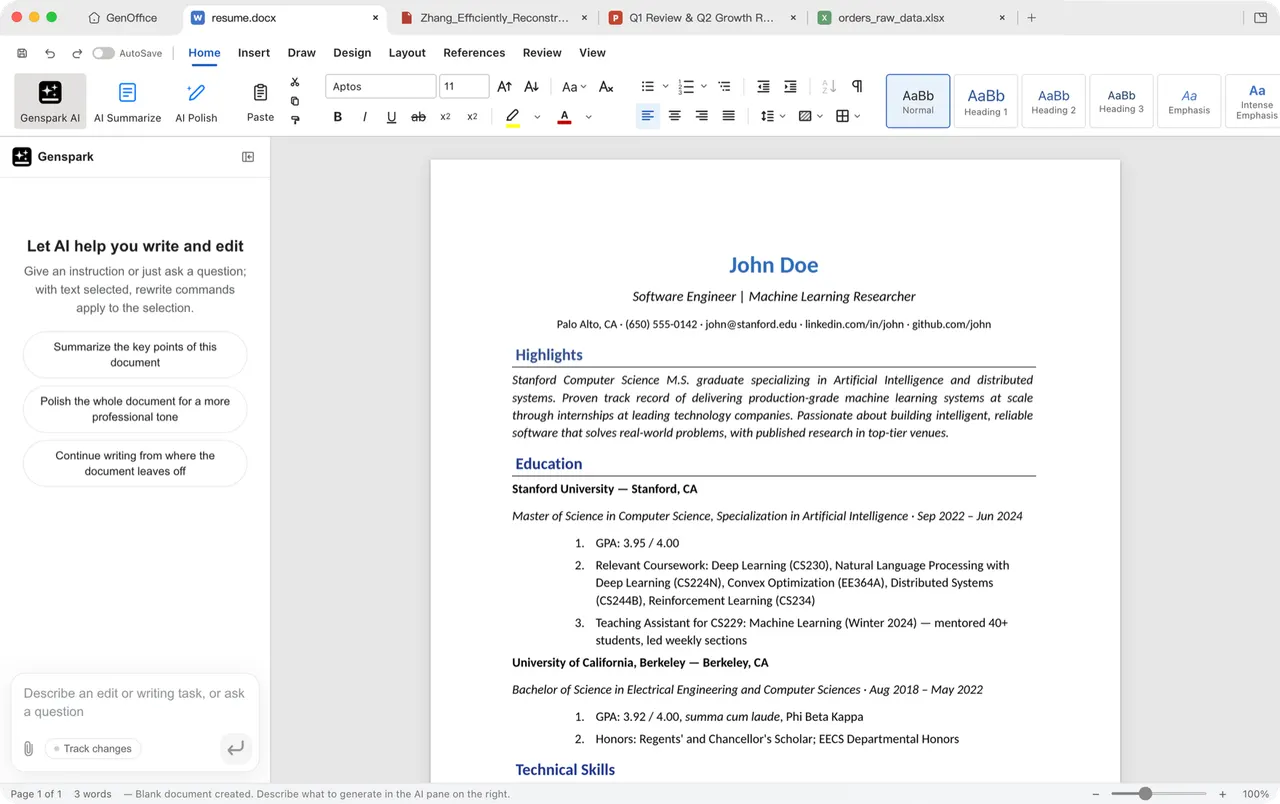
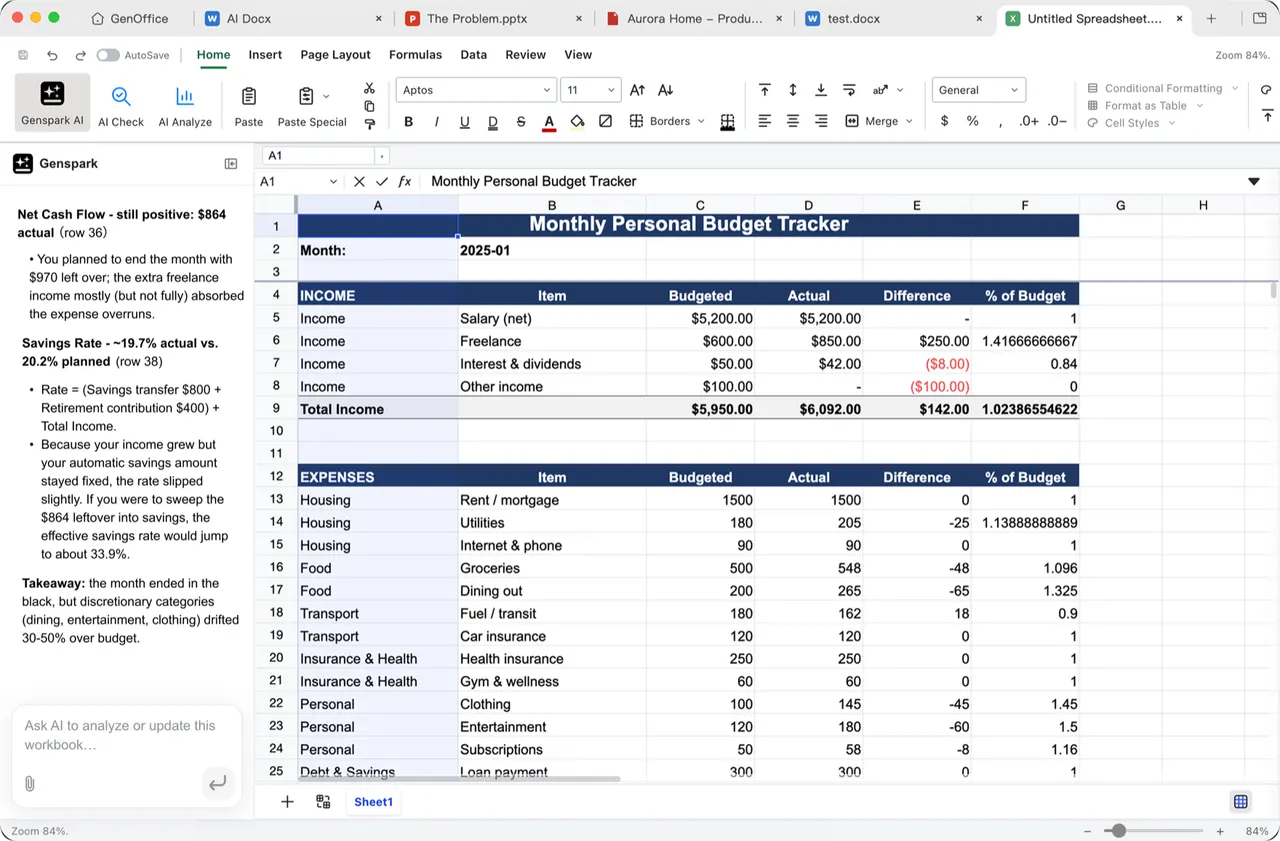
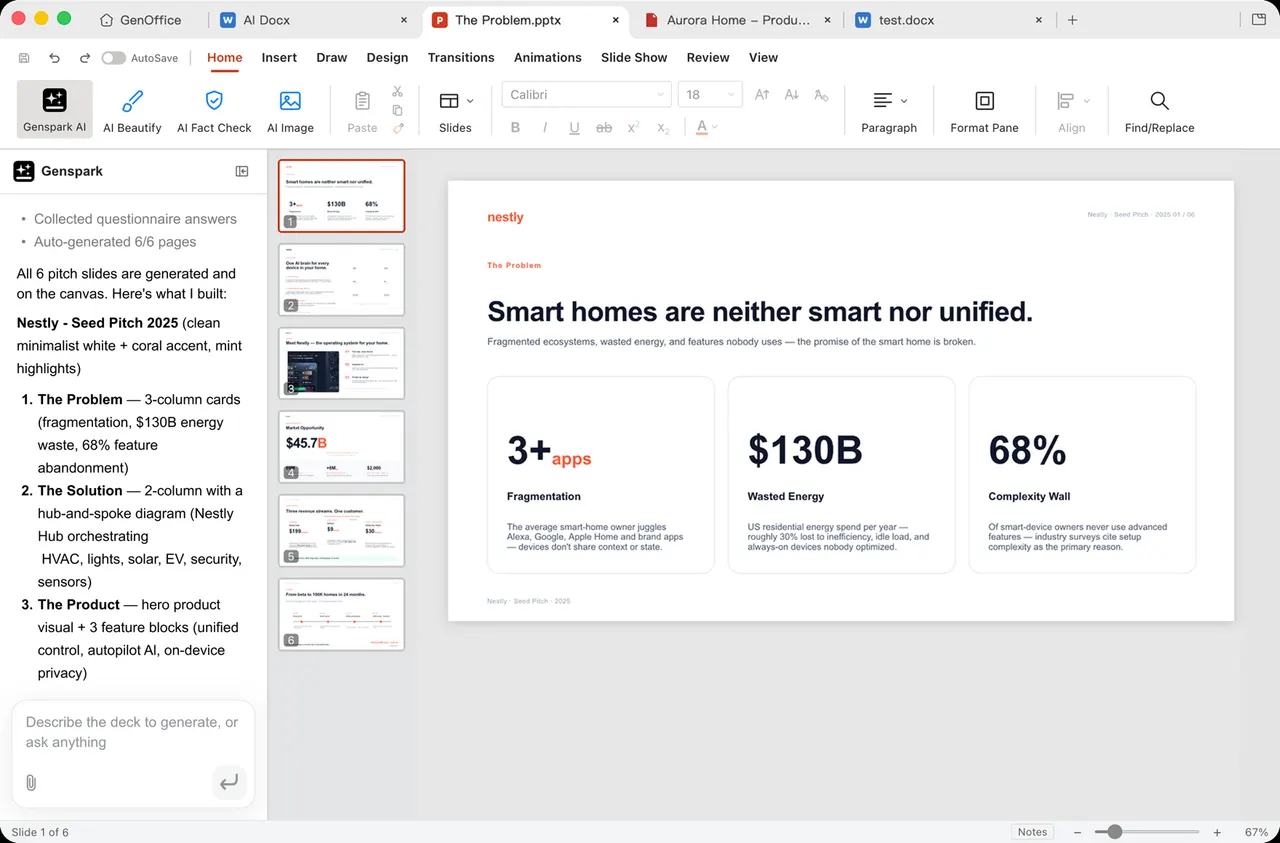
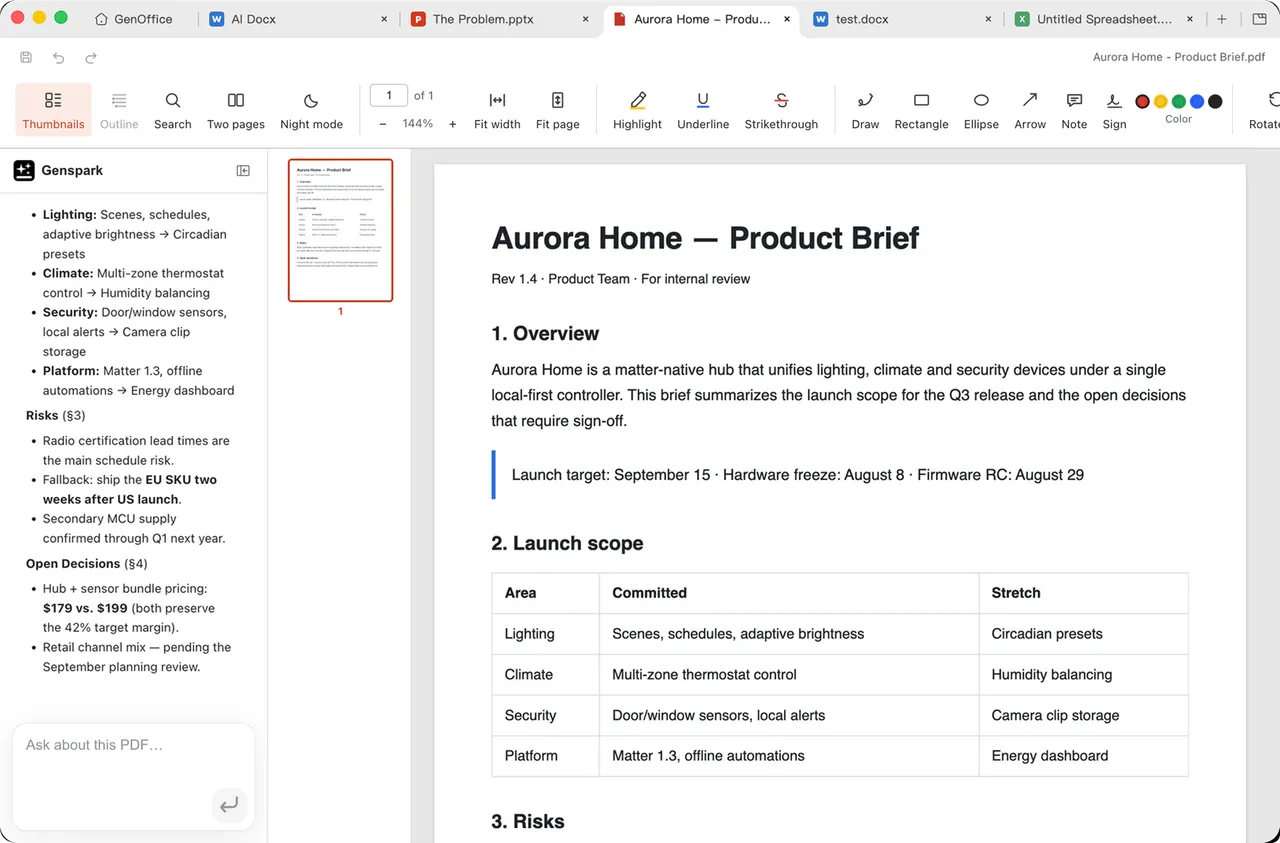
GenOffice is an open-source desktop office suite that edits real Microsoft Office formats in place, alongside PDF and Markdown. Documents, spreadsheets, presentations, PDFs and Markdown files each open in their own module behind a shared launcher window.
- Edit .docx documents while preserving the parts of the file the editor did not touch.
- Excel-compatible spreadsheets with formulas, charts and pivot tables, backed by a native calculation engine.
- PowerPoint-compatible presentations with masters and layouts.
- Edit PDFs with their original fonts, and convert Markdown to Word locally.
- Optional AI assistance for drafting and editing, with block-level edits and snapshots.
Document editing works offline. The AI features (agents, web search, image tools) sign in to a Genspark account and send the content they work on to that service, so they need an account and a network connection.
Permissions: this package keeps a tight sandbox by default — display, GPU, network, printing, notifications, your Documents and Downloads directories (the two places office files normally live; the app's own default save location is a GenOffice folder inside Documents) and the app's own sign-in directory. The rest of your home directory stays invisible; files kept elsewhere are reached through the desktop portal's file chooser, and only the ones you pick become visible to the app. A few optional capabilities are not granted by default; enable the ones you need with "flatpak override":
- Open and save documents anywhere in your home directory:
flatpak override --user --filesystem=home ai.genoffice.GenOffice - Use fonts installed under your home directory:
flatpak override --user --filesystem=~/.fonts:ro ai.genoffice.GenOffice - Audio playback for media embedded in a presentation:
flatpak override --user --socket=pulseaudio ai.genoffice.GenOffice - Undo the overrides above:
flatpak override --user --reset ai.genoffice.GenOffice
Upstream's own updater only runs for the Windows, macOS and AppImage builds, so this package never tries to update itself — updates arrive through FlatPark.
详情
- 开发者
- Mainfunc
- 许可证
- Apache-2.0
- 版本
- 0.11.0 · 2026-09-28
- 网站
- 主页
权限
4 项需确认网络访问
可访问互联网和本地网络
文件:xdg-documents
文件:xdg-download
文件:~/.genoffice:create
进程间通信
与主机共享 IPC 命名空间
X11(回退)
打印(CUPS)
与 org.freedesktop.Notifications 通信
unset-env:ELECTRON_RUN_AS_NODE
Wayland 显示
GPU 加速