

NoteGen
codexu
Local-first Markdown notes that turn captured records into structured writing with AI
已复制!粘贴到终端并按回车即可安装。
关于
This is a community package of NoteGen, maintained independently. It repackages the official upstream Linux build unmodified.
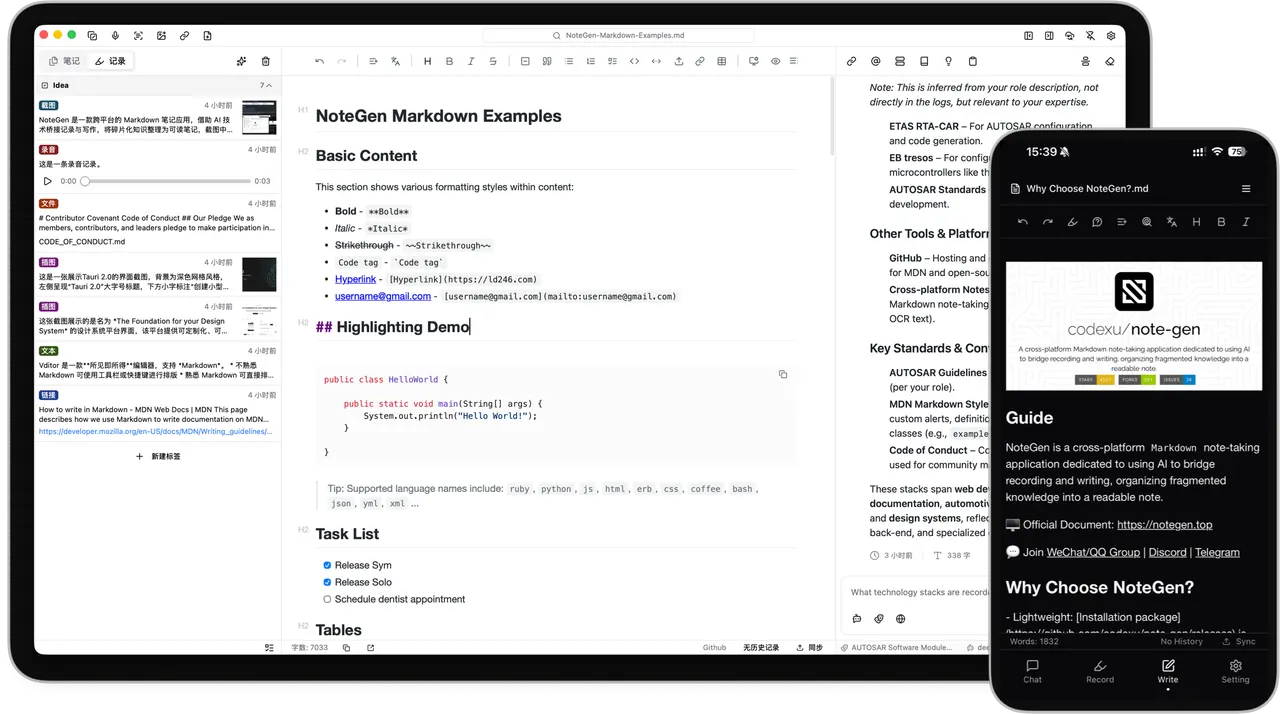
NoteGen separates capturing from organizing. Save a thought, a voice recording, a screenshot, an image, a link or a file while it is still fresh; later, select the records that belong together and let a model of your choice organize them into a structured Markdown note that you keep editing yourself.
- Markdown editor with source and visual modes, tables, task lists, code blocks, math, diagrams, outlines, search and replace, and file history
- Your notes stay ordinary Markdown files in a workspace you choose, readable by any other editor
- AI for organizing records, continuing, rewriting or translating text, and asking questions about your own material, using the providers and models you configure with your own keys
- A searchable knowledge base with vector indexing, hybrid retrieval and reusable prompts
- A canvas for flowcharts, mind maps, timelines, freehand drawing and charts
- Optional sync through GitHub, GitLab, Gitee, Gitea, S3-compatible storage or WebDAV, plus local backups
The package is sandboxed: it can reach the network, the microphone and its own data directory, and nothing else. The default workspace, the notes database, images and attachments live under ~/.var/app/com.codexu.NoteGen, and files from elsewhere are opened through the file-chooser portal.
A couple of optional capabilities are not granted by default; enable the ones you need with "flatpak override":
- Keep the workspace in your own directory, so other tools and your own Git repository can see the Markdown files:
flatpak override --user --filesystem=~/Documents/NoteGen:create com.codexu.NoteGen(or name any other directory, or--filesystem=home) - Attach files from anywhere by typing a path rather than picking them in the file dialog:
flatpak override --user --filesystem=home com.codexu.NoteGen
Two things behave differently inside the sandbox: the in-app updater cannot replace the packaged build, so new upstream releases arrive as Flatpak updates instead, and MCP servers or Skills that launch an external command find only the tools that the Flatpak runtime ships.
详情
权限
3 项需确认网络访问
可访问互联网和本地网络
X11 窗口系统
传统显示协议;可窥探其他 X11 窗口的输入
文件:xdg-run/tray-icon:create
进程间通信
与主机共享 IPC 命名空间
音频(PulseAudio)
与 org.kde.StatusNotifierWatcher 通信
Wayland 显示
GPU 加速