

NyaTerm Preview
官方授权nyakang
Remote terminal workspace for SSH, SFTP, serial, RDP and VNC
已复制!粘贴到终端并按回车即可安装。
关于
This is a community package of NyaTerm Preview, maintained independently and unaffiliated with the NyaTerm project. It repackages the official upstream Linux build (the preview .deb release) unmodified.
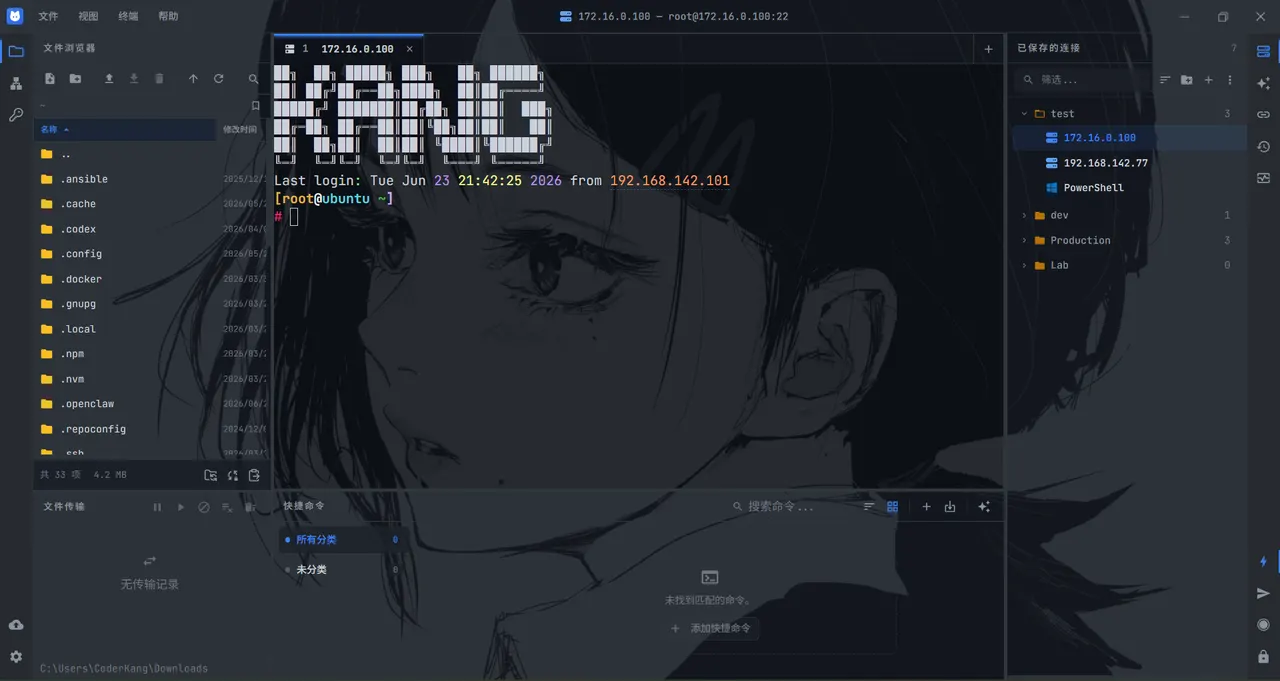
NyaTerm Preview is the 2.0 rewrite of NyaTerm with a native interface built on GPUI. It is a desktop client for SSH-centric work and mixed terminal workflows, with tabs and split panes, saved connections, and an AI assistant for terminal tasks. It is a pre-release and installs alongside a stable NyaTerm with its own settings.
- SSH, local shell, Telnet and serial terminals, plus RDP and VNC remote desktops.
- An SFTP file browser with a transfer queue, ZMODEM uploads, tunnels and port forwarding.
- One-time passwords, process and resource monitoring, and encrypted cloud sync of your connections.
Local terminal: a local terminal tab opens your login shell on the host system through flatpak-spawn --host, which gives it the same access as a terminal outside the sandbox. A custom shell path set on a connection runs inside the sandbox instead.
Permissions: besides the host shell, this package grants network access, the GPU, the Secret Service for stored credentials, your ssh-agent, a tray icon, all devices (for serial ports) and your home folder, for ~/.ssh, the local side of SFTP, and the app's own data in ~/.nyaterm-preview.
The in-app updater does not apply here: updates arrive through Flatpak.
详情
权限
6 项需确认全部设备(含摄像头、USB)
网络访问
可访问互联网和本地网络
X11 窗口系统
传统显示协议;可窥探其他 X11 窗口的输入
文件:xdg-run/tray-icon:create
主目录
与 org.freedesktop.Flatpak 通信
可通过 flatpak-spawn 在主机上执行命令
进程间通信
与主机共享 IPC 命名空间
与 org.a11y.Bus 通信
与 org.freedesktop.secrets 通信
与 org.freedesktop.Notifications 通信
与 org.kde.StatusNotifierWatcher 通信
SSH agent
Wayland 显示
打包方式
隔离降低在你的系统上执行命令
本地终端标签页通过 flatpak-spawn 打开你在宿主系统上的登录 shell,权限与沙箱外的终端相同。
补充 runtime 缺少的组件
随应用附带:NotoSansCJK-Regular, ayatana