
Sigma File Manager
Aleksey Hoffman
Modern file manager with global search, tabs, split view and LAN sharing
已复制!粘贴到终端并按回车即可安装。
关于
This is a community package of Sigma File Manager, maintained independently and unaffiliated with the Sigma File Manager project. It repackages the official upstream Linux build unmodified.
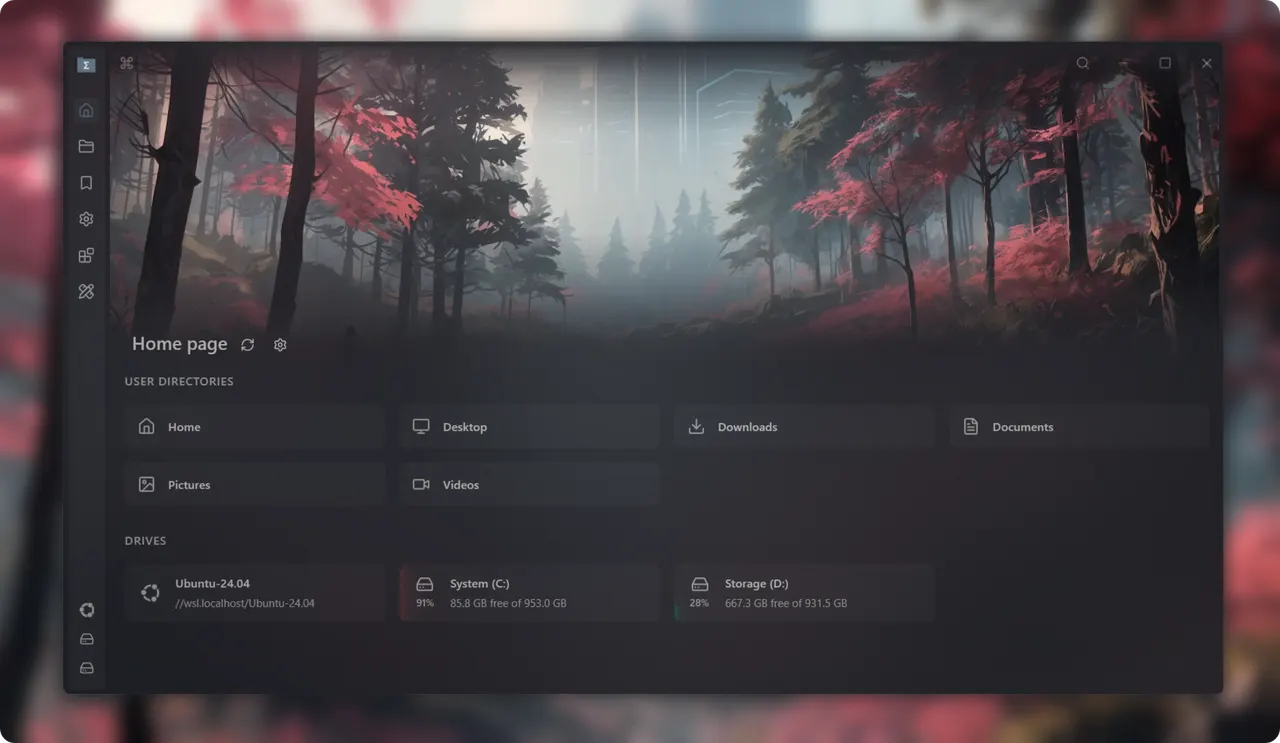
Sigma File Manager is a file manager for Linux and Windows with a fast global search index, tabs and split view, an address bar with autocomplete, filters, a command palette, tags, file previews and a heavily customizable interface.
- Global search over an index, with typo correction and property filters.
- Tabs, split view, workspaces and a command palette.
- Previews and thumbnails for images, video, audio and documents.
- Share files over the local network to a browser on another device.
- ZIP archive support, tags, bookmarks and an extension store.
Permissions: this package can read and write your home directory and the usual removable-media mount points (/media, /run/media, /mnt) — a file manager cannot browse a directory tree through the file-chooser portal, so this is the grant that makes it work. The rest of the host filesystem is not exposed, so /etc, /opt, /srv and the host's own /usr are out of reach by default. Its own settings, search index and installed extensions stay inside the sandbox under ~/.var/app/com.sigmafilemanager.app.
A few optional capabilities are not granted by default; enable the ones you need with "flatpak override":
- Browse the whole filesystem, the way upstream's own build does:
flatpak override --user --filesystem=host com.sigmafilemanager.app - A single extra location instead, for example an external pool:
flatpak override --user --filesystem=/srv/data com.sigmafilemanager.app
A few features need programs that are not part of the Flatpak runtime, so they do not work here: mounting a drive or a network share (udisksctl, sshfs and mount are not inside the sandbox), opening a terminal in a folder, and the "Open with" list of applications installed on your system. Opening a file with your desktop's default application does work — it goes through the desktop portal. Mount drives and shares from your desktop session first; they then show up in the file manager like any other directory.
The "launch at startup" setting writes its entry into the sandbox's own configuration directory, which your desktop session does not read. To start the app with your session, add an autostart entry that runs flatpak run com.sigmafilemanager.app.
新版变化
v2.2.0 · 2026-07-17System clipboard integration with other apps, box selection, linked split view, link handling, password-protected ZIP archives, extension API expansions, Hebrew language support and navigator polish.
完整发布说明 →详情
- 开发者
- Aleksey Hoffman
- 许可证
- GPL-3.0-or-later
- 版本
- 2.2.0 · 2026-07-17
- 网站
- 主页
权限
6 项需确认-
网络访问
可访问互联网和本地网络
-
文件:xdg-run/tray-icon:create
-
主目录
-
文件:/media
-
文件:/run/media
-
文件:/mnt
-
进程间通信
与主机共享 IPC 命名空间
-
X11(回退)
-
音频(PulseAudio)
-
与 org.kde.StatusNotifierWatcher 通信
-
Wayland 显示
-
GPU 加速