

Orca
stablyai
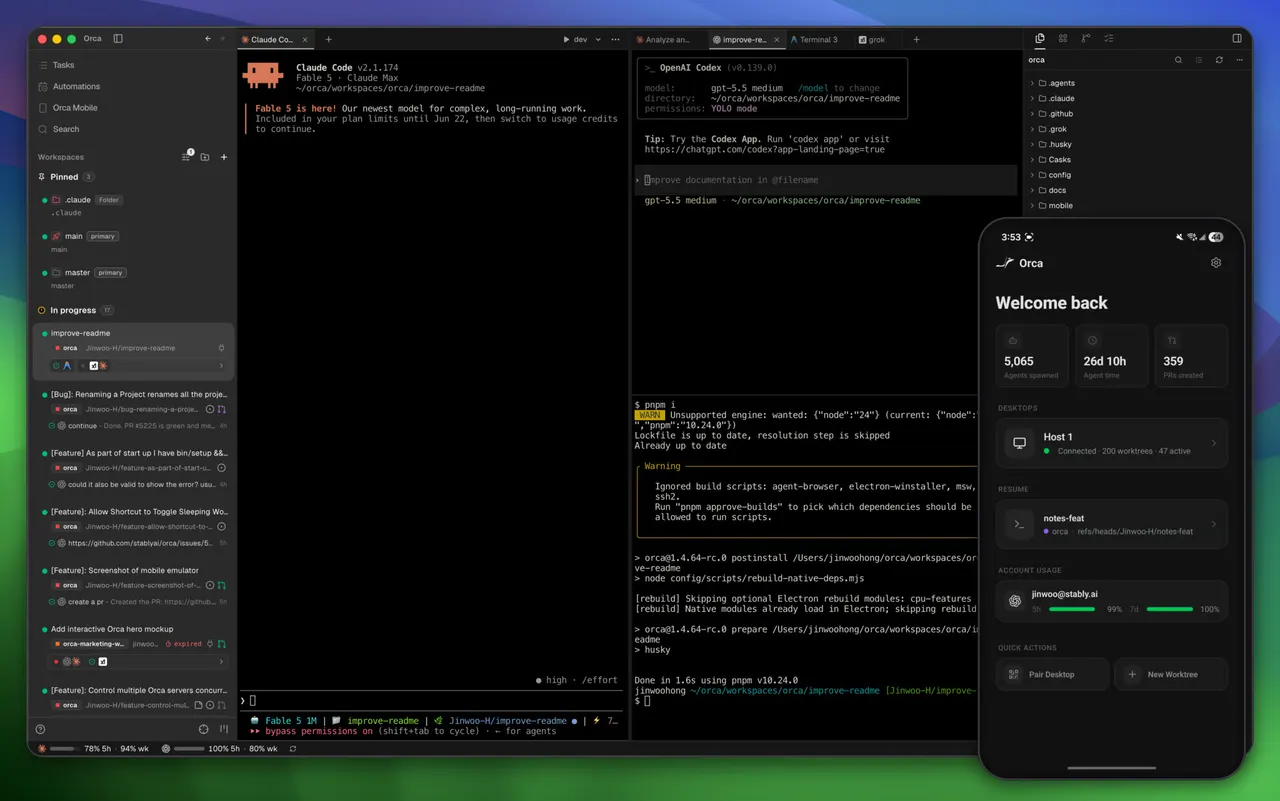
AI orchestrator for running coding agents side by side
已复制!粘贴到终端并按回车即可安装。
关于
This is a community package of Orca, maintained independently. It repackages the official upstream Linux build unmodified.
Orca runs coding agents side by side in terminal panes and worktrees, tracks their status in one workspace, and integrates with GitHub, Linear, SSH hosts, and the Orca mobile companion.
Permissions: by default this package grants display, network, notifications, secret storage, audio, and a host command bridge. At startup, Orca creates a runtime PATH directory for commands already installed on the host, including Git, GitHub CLI (gh), GitLab CLI (glab), Node/npm/npx, Codex, Claude Code, OpenCode, Cursor Agent, Gemini, and other user-installed CLIs. Each command forwards through Flatpak's host-spawn portal and runs on the host. FlatPark does not install or authenticate those tools; install the CLIs you want on the host and sign in there first. Commands can be visible through host-spawn's default PATH or through your login shell, including shell-managed toolchains such as mise. For GitHub features, install GitHub CLI on the host and run gh auth login; for GitLab features, install GitLab CLI on the host and run glab auth login before using them from Orca.
A few broad capabilities are not granted by default; enable only the ones you need with "flatpak override":
- Open existing projects anywhere in your home directory:
flatpak override --user --filesystem=home com.stablyai.orca - Reuse host SSH configuration and keys for Git/SSH workflows:
flatpak override --user --filesystem=~/.ssh:ro com.stablyai.orca - Expose local devices for advanced computer-use workflows:
flatpak override --user --device=all com.stablyai.orca
详情
权限
2 项需确认-
网络访问
可访问互联网和本地网络
-
文件:~/.agents:create
-
进程间通信
与主机共享 IPC 命名空间
-
X11(回退)
-
音频(PulseAudio)
-
与 org.freedesktop.Notifications 通信
-
与 org.freedesktop.secrets 通信
-
与 org.freedesktop.Flatpak 通信
-
unset-env:ELECTRON_RUN_AS_NODE
-
Wayland 显示
-
GPU 加速