

Wave Terminal
Command Line Inc
Terminal with inline graphics, file previews and remote connections
已复制!粘贴到终端并按回车即可安装。
关于
This is a community package of Wave Terminal, maintained independently and unaffiliated with the Wave Terminal project. It repackages the official upstream .deb unmodified and follows upstream releases automatically.
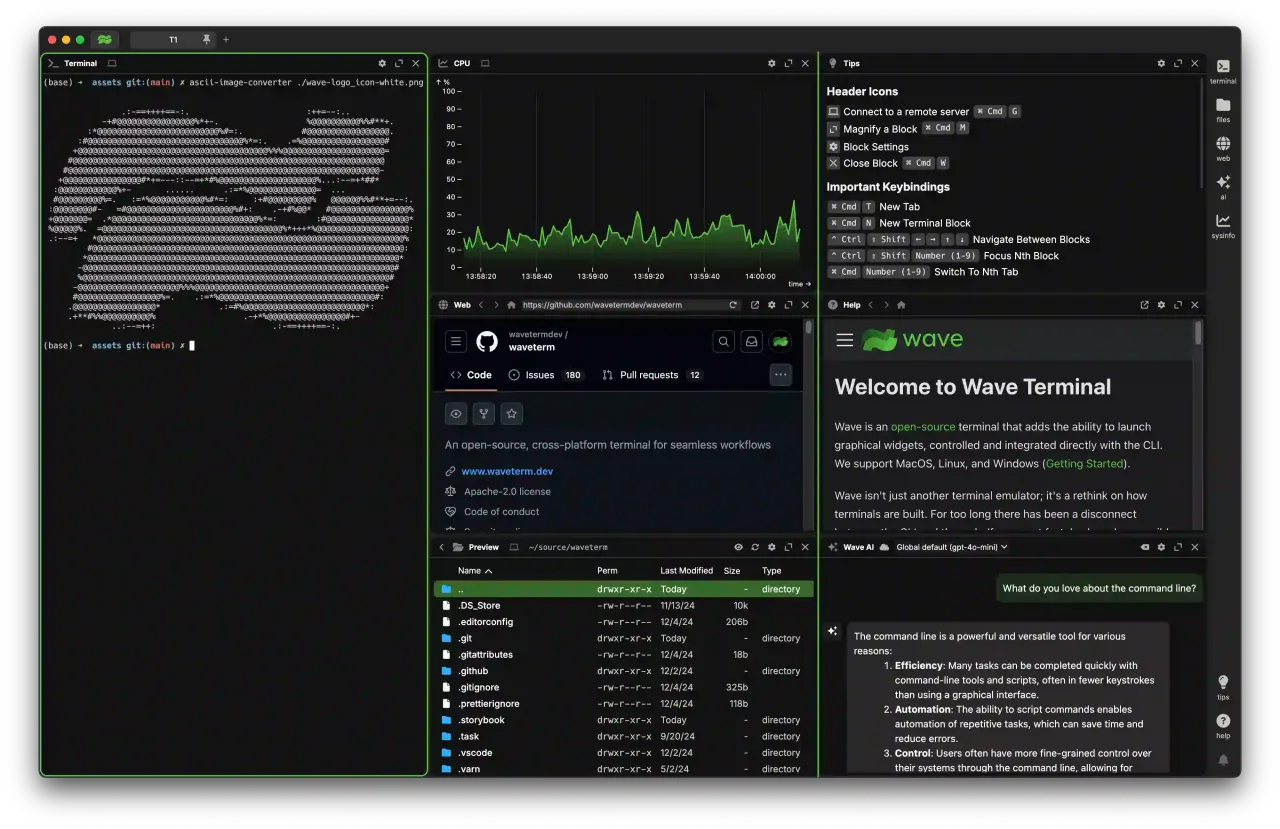
Wave is a terminal that lays out its window as a grid of blocks. A block can be a shell session, but it can just as easily be a file preview, a directory listing, a web view, a CPU graph or an AI chat — all in the same tab, all scriptable from the command line through the bundled wsh helper.
- Tabbed, tiled terminal blocks with persistent sessions and workspaces.
- Remote connections over SSH, reading your existing SSH config, with the same block layout applied to the remote machine.
- Inline previews for files, images, Markdown and CSV, plus a directory browser and an editor.
- An embedded web block and system-monitor graphs alongside the shell.
- AI chat blocks against your own provider key (OpenAI, Anthropic, Gemini, OpenRouter and compatible endpoints).
Permissions: this package grants network access (SSH and the AI providers), the GPU, notifications and the Secret Service for stored connection secrets. It grants no filesystem access — file open and save go through the portal, and Wave's own data stays inside the sandbox. A few capabilities are not granted by default; enable the ones you need with flatpak override:
- Reuse your existing host SSH keys and config:
flatpak override --user --filesystem=~/.ssh:ro dev.commandline.waveterm - Browse and preview files across your home directory:
flatpak override --user --filesystem=home dev.commandline.waveterm - Serial devices:
flatpak override --user --device=all dev.commandline.waveterm
Updates and telemetry: the in-app updater is switched off on first run, because Flatpak installs are updated by Flatpak — re-enable it in Settings if you want the check back. Wave's usage telemetry is left at upstream's default (on) and is a switch in the same Settings panel.
Scope: the built-in local terminal runs inside the sandbox, on the shells the Flatpak runtime provides — not on your host system. Remote (SSH) connections are unaffected and behave exactly as they do elsewhere. Wave's Tsunami widget builder compiles Go on the fly and so needs a Go toolchain, which is not part of this package; the rest of the app does not.
详情
权限
1 项需确认网络访问
可访问互联网和本地网络
进程间通信
与主机共享 IPC 命名空间
X11(回退)
与 org.freedesktop.Notifications 通信
与 org.freedesktop.secrets 通信
unset-env:ELECTRON_RUN_AS_NODE
Wayland 显示
GPU 加速