

OpenPencil
Danila Poyarkov
Open-source design editor that reads and writes native Figma .fig files
已复制!粘贴到终端并按回车即可安装。
关于
This is a community package of OpenPencil, maintained independently. It repackages the official upstream Linux build unmodified.
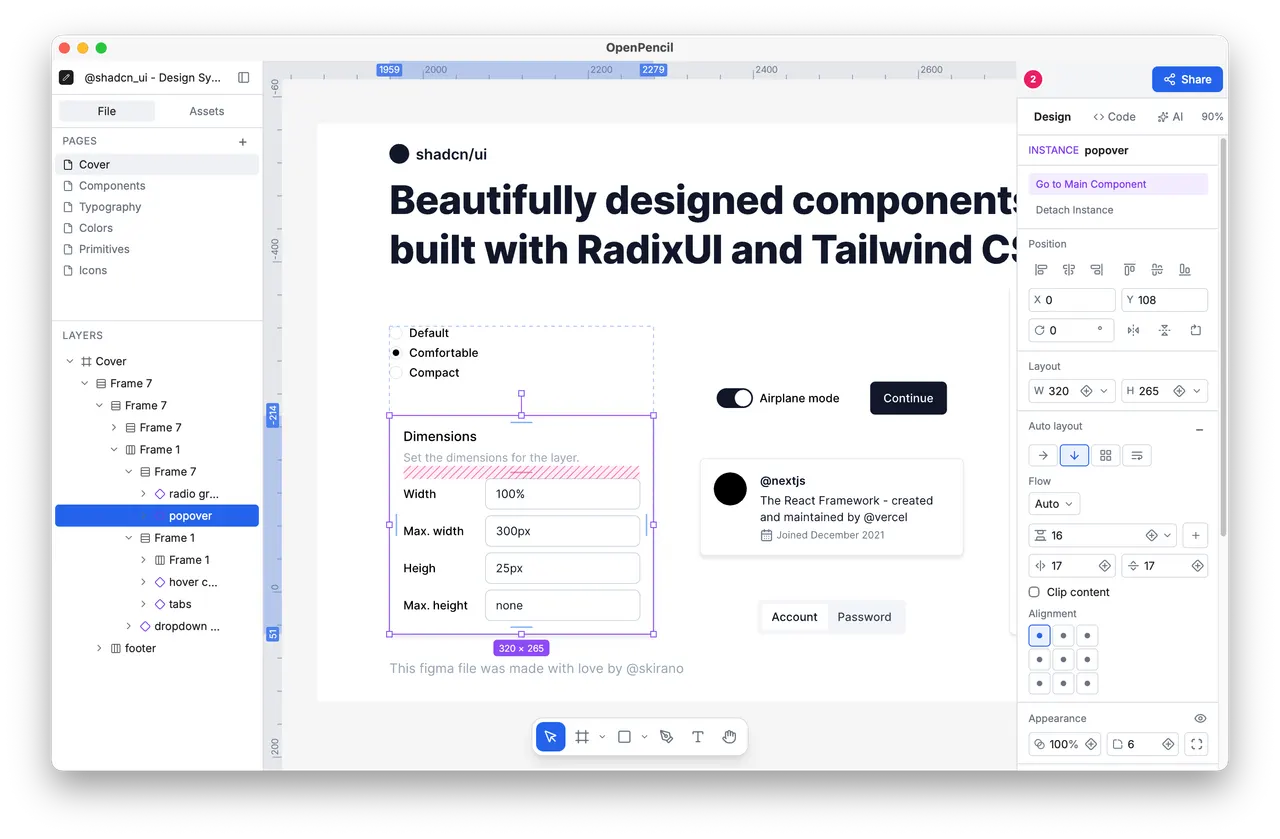
OpenPencil is a design editor built around an open document model. It opens and saves native Figma .fig files as well as its own .pen documents, so a design can move between tools without an export step, and the same engine runs on the desktop and in the browser.
- Vector and frame editing with components, variants and component sets, and local assets inserted as instances
- Auto layout and CSS Grid through Yoga, with gap, padding, alignment and track sizing
- Real-time collaboration peer-to-peer over WebRTC - cursors, presence and follow mode, with no server and no account
- An optional AI assistant that creates and edits nodes through the editor's own tools, using the provider and key you configure (OpenRouter, Anthropic, OpenAI, Google AI and other compatible endpoints)
- Linting for naming, layout and accessibility, colour and typography analysis, and design-token extraction
- Export of a selection to JSX/Tailwind, and a headless Vue SDK for embedding the editor elsewhere
The package is sandboxed: it can reach the network, your keyring and its own data directory, and nothing else. Design files are opened and saved through the file-chooser portal, which hands the app only the file you pick, so no blanket access to your home directory is granted.
Two optional capabilities are not granted by default; enable the ones you need with "flatpak override":
- Work on a whole project directory - autosave, file watching and companion assets - without picking each file in a dialog:
flatpak override --user --filesystem=~/Documents/Design dev.openpencil.OpenPencil(or name any other directory, or--filesystem=home) - Use the GPU for canvas rendering on a discrete card that needs a different device node than the default one:
flatpak override --user --device=all dev.openpencil.OpenPencil
Two things behave differently inside the sandbox: the in-app updater cannot replace the packaged build, so new upstream releases arrive as Flatpak updates instead, and the desktop agent integrations and MCP server that launch an external command find only the tools the Flatpak runtime ships, not the ones installed on your host.
详情
权限
2 项需确认网络访问
可访问互联网和本地网络
X11 窗口系统
传统显示协议;可窥探其他 X11 窗口的输入
进程间通信
与主机共享 IPC 命名空间
与 org.freedesktop.secrets 通信
Wayland 显示
GPU 加速