
ZFileSync
官方授权TheHolyOneZ
Mirror files and folders between two locations in real time
已复制!粘贴到终端并按回车即可安装。
关于
This is a FlatPark community package of ZFileSync, published with the permission of its developer. It repackages the official upstream Linux build unmodified.
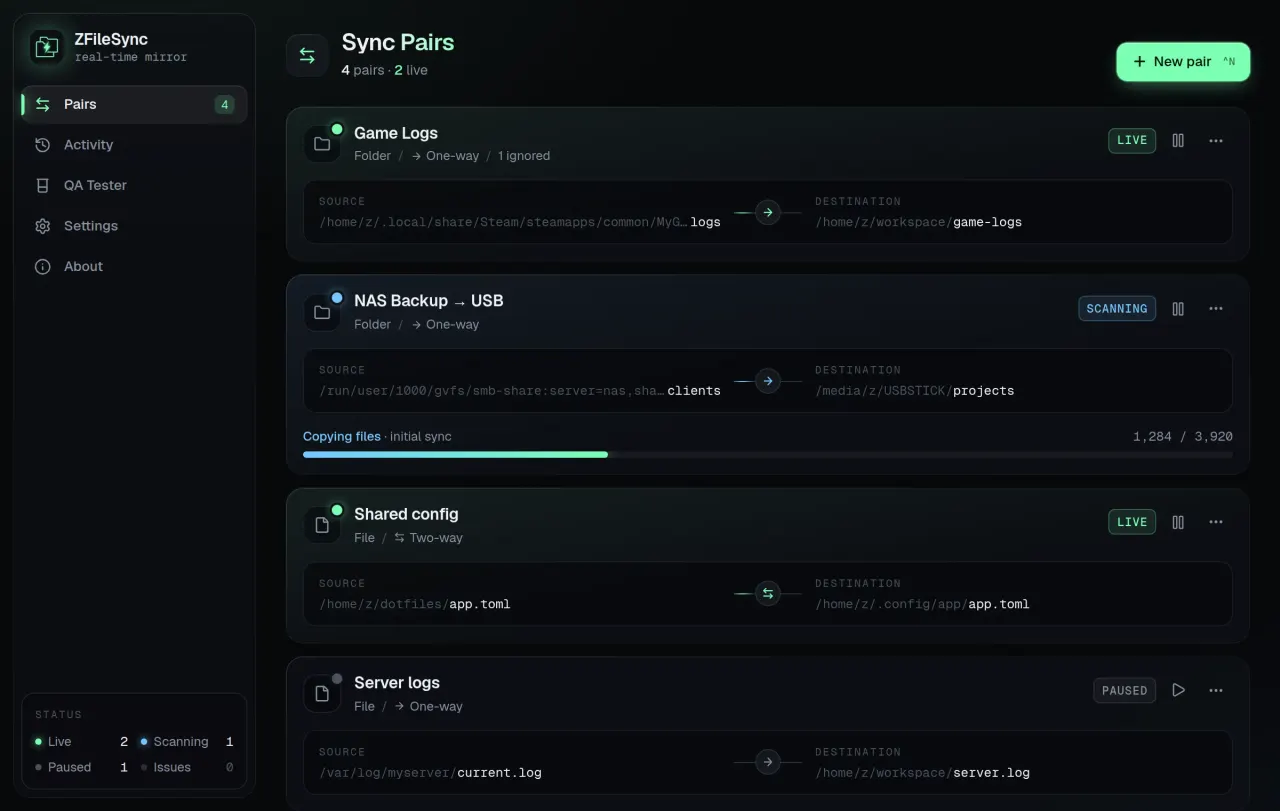
ZFileSync mirrors files and folders between two locations on the same machine, or a mounted network drive, as soon as they change. It is made for files that live in inconvenient places, such as game logs, app output and config files, and keeps them in your workspace automatically. It is not a cloud backup tool.
- One-way and two-way sync for single files and whole folders, set per pair.
- Conflict detection and resolution, a log of deleted files, and detection of files re-created after a delete.
- Glob-based ignore patterns.
- A start-up check that brings both sides back in line using content hashes.
- USB sticks and network shares (SMB, NFS, sshfs, rclone and GNOME mounts) are detected and polled for server-side changes.
- Keeps syncing from the system tray when the window is closed, with a live activity feed and history.
Permissions: besides display, GPU, a tray icon and notifications, this package grants your home directory, the removable-media mounts (/media, /run/media), /mnt and GNOME's network mounts. ZFileSync watches the folders of each pair by path for as long as it runs, which a folder picked through the file chooser can't provide, so a pair outside these locations won't sync. In practice this means ZFileSync can read and write everything in your home directory.
To keep it to fewer folders, remove the home grant and add the ones you sync, for example: flatpak override --user --nofilesystem=home --filesystem=~/Documents dev.zfilesync.app. A pair somewhere else needs that folder added the same way. Undo it with flatpak override --user --reset dev.zfilesync.app.
The "Launch on system startup" setting doesn't start ZFileSync at login in this package: a login entry would point to a path that only exists inside the sandbox, so the package keeps it out of your autostart folder. To start it at login, add flatpak run dev.zfilesync.app to your desktop's startup applications.
详情
- 开发者
- TheHolyOneZ
- 许可证
- GPL-3.0-only
- 运行时
- GNOME 51
- 架构
- x86_64
- 版本
- 0.1.2 · 2026-11-09
- 网站
- 主页
权限
6 项需确认主目录
文件:/media
文件:/run/media
文件:/mnt
文件:xdg-run/gvfs
文件:xdg-run/tray-icon:create
进程间通信
与主机共享 IPC 命名空间
X11(回退)
nofilesystem:xdg-config/autostart
与 org.kde.StatusNotifierWatcher 通信
与 org.freedesktop.Notifications 通信
Wayland 显示
GPU 加速