

QtScrcpy
社区打包
Mirror and control Android devices with keyboard mapping
已复制!粘贴到终端并按回车即可安装。
关于
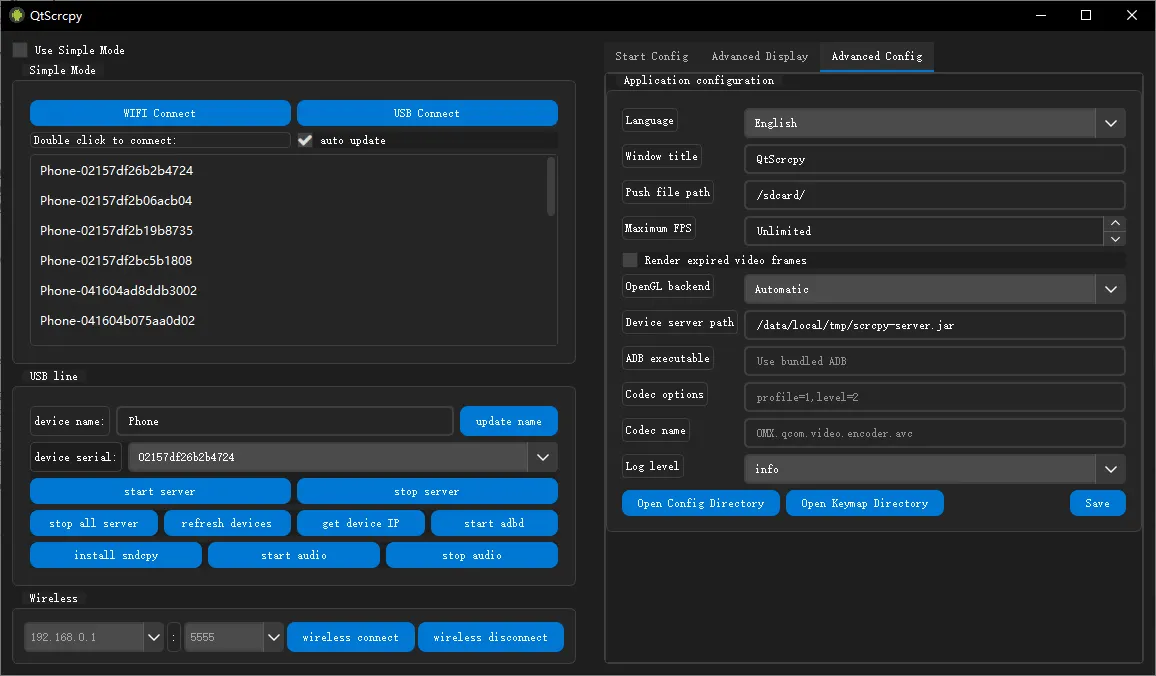
Display and control Android devices over USB or Wi-Fi through a Qt interface. QtScrcpy supports custom keyboard and mouse mappings, multiple devices, screenshots and screen recording. Android 5.0 or later with USB debugging enabled is required.
This community package runs the official upstream Linux AppImage unmodified. Its window uses X11, including XWayland on Wayland desktops. Configuration and custom keymaps are kept in the app's private data directory. Audio forwarded from Android plays through the desktop sound server.
Direct device access allows USB mirroring and also exposes other devices. Network access allows wireless connections and communication with an ADB server on localhost. ADB authorization keys are kept privately for this app. If a host ADB server is running on port 5037 with a different version, the bundled ADB client may restart it and temporarily interrupt other ADB connections.
Wireless pairing is available with flatpak run --command=adb io.github.barry_ran.QtScrcpy pair ADDRESS:PORT, followed by flatpak run --command=adb io.github.barry_ran.QtScrcpy connect ADDRESS:PORT.
Optional host file access is disabled by default:
- Save recordings in Videos:
flatpak override --user --filesystem=xdg-videos io.github.barry_ran.QtScrcpy, then select that directory in QtScrcpy. - Save screenshots in Pictures:
flatpak override --user --filesystem=xdg-pictures io.github.barry_ran.QtScrcpy, then select that directory in QtScrcpy. - Transfer files or install APKs from Downloads:
flatpak override --user --filesystem=xdg-download:ro io.github.barry_ran.QtScrcpy. - Undo optional overrides:
flatpak override --user --reset io.github.barry_ran.QtScrcpy.
详情
权限
3 项需确认全部设备(含摄像头、USB)
X11 窗口系统
传统显示协议;可窥探其他 X11 窗口的输入
网络访问
可访问互联网和本地网络
进程间通信
与主机共享 IPC 命名空间
unset-env:QT_QPA_PLATFORM
音频(PulseAudio)
持久化存储:.android
与 org.a11y.Bus 通信
与 org.kde.StatusNotifierWatcher 通信
占用服务名 org.kde.StatusNotifierItem-2-1
与 org.freedesktop.Notifications 通信