

关于
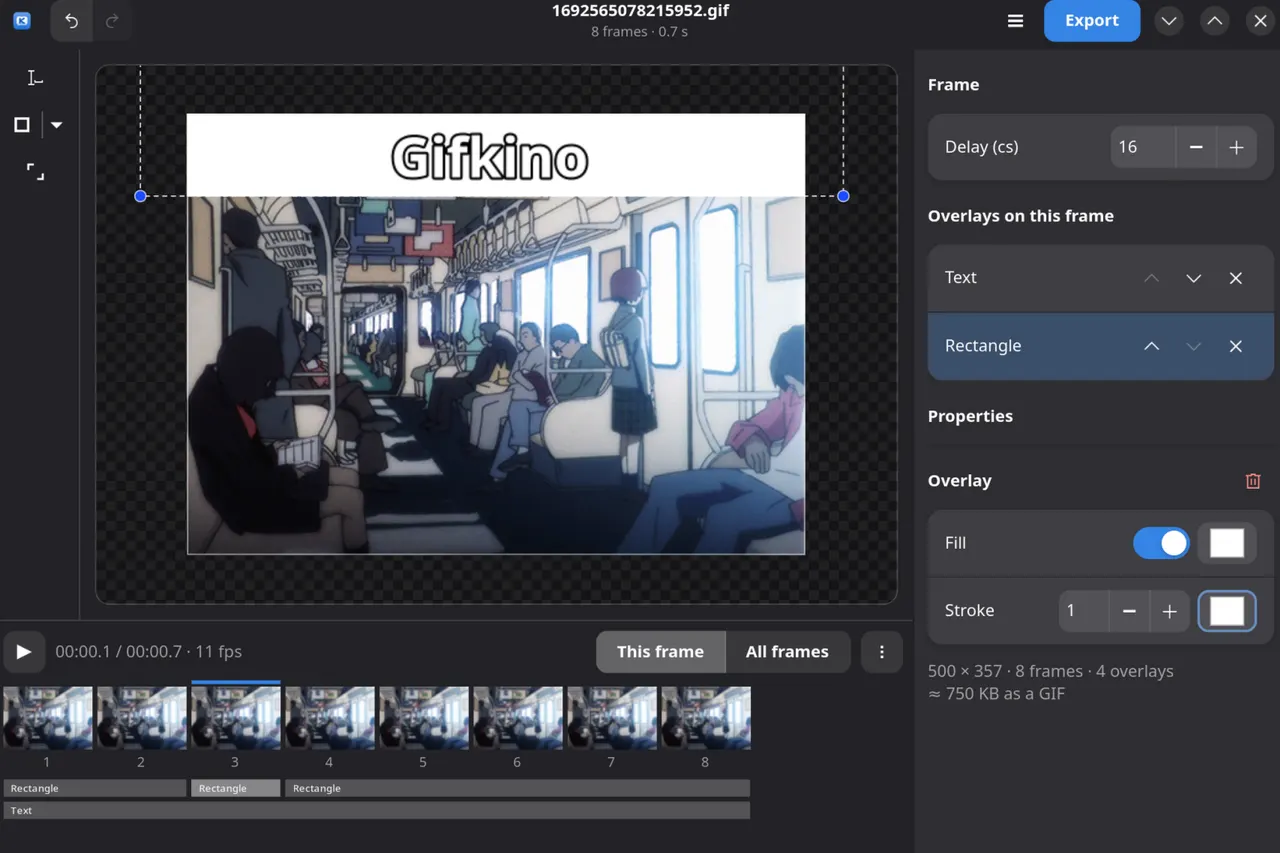
Gifkino is a GIF editor for Linux. Open an animated GIF, an image, or a video, add overlays to frames, then export an optimized GIF.
- Opens GIFs, still images and videos, with a large clip offered at a smaller recommended size before it is decoded.
- Overlays scoped to frame ranges: text, shapes (rectangle, ellipse, arrow) and images, placed on the frames you pick. Drag to move them on the canvas, hold Alt to rotate, Shift to keep the aspect ratio, Ctrl to resize from the center.
- Frame list editing: reorder, duplicate, delete, retime, cut, copy and paste, drop one frame in every N, and smart-drop the frames that move the least.
- Crop, resize, rotate and flip, applied across the whole animation.
- A timeline that zooms, with overlay bands showing what covers what.
- Undo and redo over every edit, including scoped overlay changes.
- Translated interface: English, German and Japanese.
- Optimized GIF export.
The ffmpeg, ffprobe and gifsicle programs the editor drives come with it, so video import and the optimized export pass work with nothing installed on the host.
This package installs the official upstream build unmodified: upstream publishes the application tree from their own Flatpak build as a release asset, and it is unpacked here at install time, not rebuilt. It follows their releases automatically, and is published by Gifkino's own developer.
Permissions: Gifkino runs with no network access and no static access to your files. Opening and saving go through the file-chooser portal, which grants exactly the file you pick, and settings are kept in the app's own directory under ~/.var/app/io.github.zbcoding.Gifkino. If you would rather hand it a directory outright — a scripted batch, or a file manager that cannot forward a path — enable it with flatpak override:
- Read and write GIFs in Pictures without the portal:
flatpak override --user --filesystem=xdg-pictures io.github.zbcoding.Gifkino - Import clips straight from Videos:
flatpak override --user --filesystem=xdg-videos io.github.zbcoding.Gifkino
详情
权限
最少进程间通信
与主机共享 IPC 命名空间
X11(回退)
Wayland 显示
GPU 加速