

OpenShot Video Editor
OpenShot Studios, LLC
An easy to use, quick to learn, and surprisingly powerful video editor
Copied! Paste it into a terminal and press Enter to install.
About
This is a community package of OpenShot, maintained independently and unaffiliated with the OpenShot project. It repackages the official upstream AppImage unmodified — extracted at install time, not rebuilt — and follows upstream releases automatically.
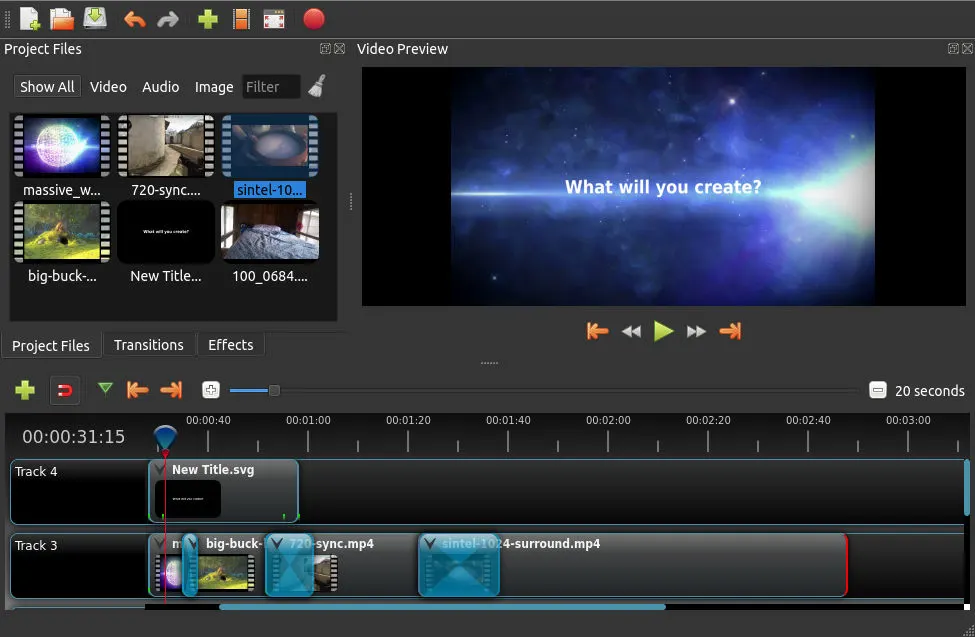
OpenShot Video Editor is a free, open-source video editor with an easy-to-use interface and a broad feature set for cutting, compositing and animating video.
- Supports most video, audio and image formats (based on FFmpeg).
- Advanced timeline with drag and drop, snapping, scrolling, panning and zooming.
- Clip trimming, alpha, scaling, rotation, shearing and curve-based keyframe animation (linear, Bézier, constant).
- Compositing, image overlays, watermarks and transparency, with unlimited tracks and layers.
- Video transitions, masks and wipes; brightness, gamma, hue and chroma-key effects.
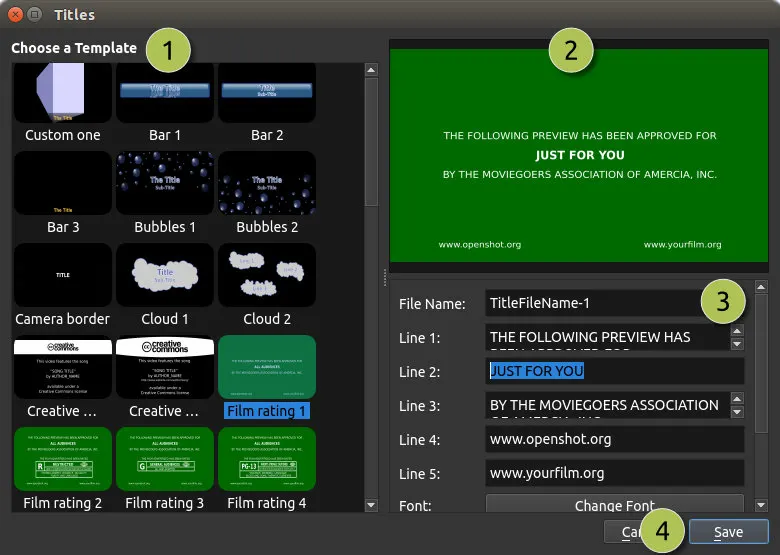
- Animated 3D titles via a bundled Blender, plus editable SVG titles and credits.
- Audio mixing, waveforms and editing; time mapping and speed changes.
- Hardware-accelerated encode and decode; EDL and Final Cut Pro import/export.
Permissions: this package grants read-write access to your Videos, Pictures, Music and Downloads folders, because an OpenShot project (.osp) references its source clips by absolute path and they have to stay reachable when the project is reopened — per-file portal access cannot carry a project across sessions. App state (settings, caches, project backups) stays inside the sandbox. Footage kept elsewhere needs an flatpak override:
- Footage or projects in a dedicated folder under home:
flatpak override --user --filesystem=~/Projects org.openshot.OpenShot(name your own folder), or--filesystem=homefor all of it. - Footage on an external drive or another mount point:
flatpak override --user --filesystem=/run/media/$USER org.openshot.OpenShot(use the path your system mounts removable media under). - Work fully offline with no update check or template/model downloads:
flatpak override --user --unshare=network org.openshot.OpenShot
Details
- Developer
- OpenShot Studios, LLC
- License
- GPL-3.0-or-later
- Runtime
- Freedesktop 26.08
- Architectures
- x86_64
- Version
- 4.1.1 · 2026-11-02
- Website
- Homepage
- Support
- Help & support
- Source
- OpenShot Video Editor
- Packaging
- flatpark/registry
Permissions
6 to reviewX11 windowing system
Legacy display protocol; can observe input to other X11 windows
Network access
Can reach the internet and local network
Files: xdg-videos
Files: xdg-pictures
Files: xdg-music
Files: xdg-download
Inter-process communication
Shares the IPC namespace with the host
unset-env: QT_QPA_PLATFORM
Audio (PulseAudio)
Persistent storage: .openshot_qt
Talk to org.freedesktop.Notifications
GPU acceleration
Packaging
UnmodifiedRuns the vendor's build as shipped — nothing added or changed.
What the levels mean →