

OpenShot Video Editor
OpenShot Studios, LLC
An easy to use, quick to learn, and surprisingly powerful video editor
已复制!粘贴到终端并按回车即可安装。
关于
This is a community package of OpenShot, maintained independently and unaffiliated with the OpenShot project. It repackages the official upstream AppImage unmodified — extracted at install time, not rebuilt — and follows upstream releases automatically.
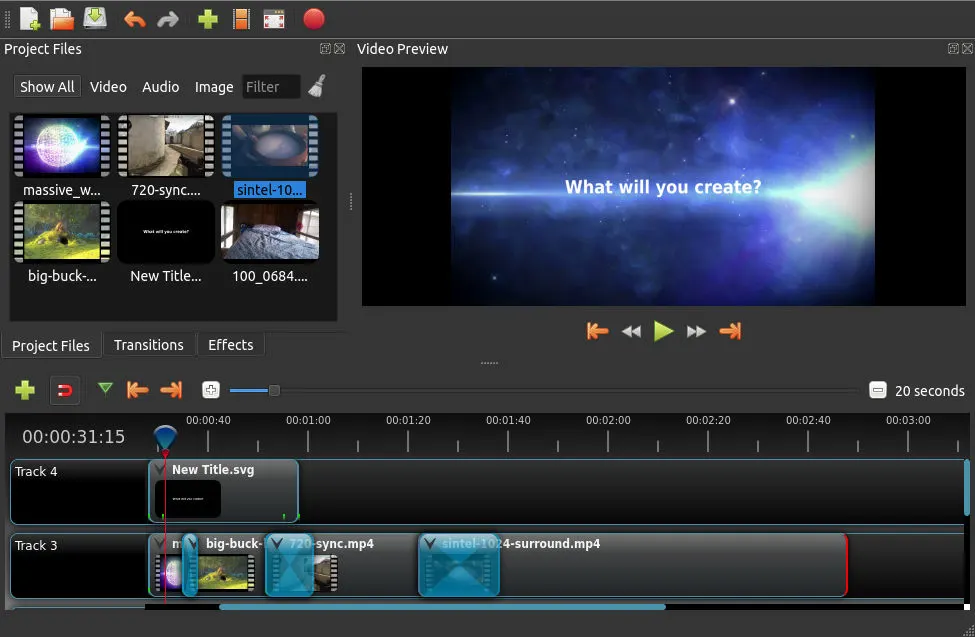
OpenShot Video Editor is a free, open-source video editor with an easy-to-use interface and a broad feature set for cutting, compositing and animating video.
- Supports most video, audio and image formats (based on FFmpeg).
- Advanced timeline with drag and drop, snapping, scrolling, panning and zooming.
- Clip trimming, alpha, scaling, rotation, shearing and curve-based keyframe animation (linear, Bézier, constant).
- Compositing, image overlays, watermarks and transparency, with unlimited tracks and layers.
- Video transitions, masks and wipes; brightness, gamma, hue and chroma-key effects.
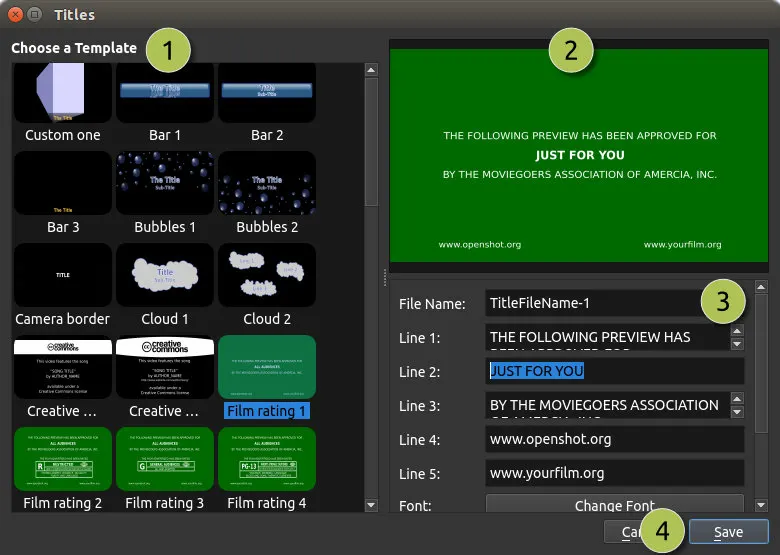
- Animated 3D titles via a bundled Blender, plus editable SVG titles and credits.
- Audio mixing, waveforms and editing; time mapping and speed changes.
- Hardware-accelerated encode and decode; EDL and Final Cut Pro import/export.
Permissions: this package grants read-write access to your Videos, Pictures, Music and Downloads folders, because an OpenShot project (.osp) references its source clips by absolute path and they have to stay reachable when the project is reopened — per-file portal access cannot carry a project across sessions. App state (settings, caches, project backups) stays inside the sandbox. Footage kept elsewhere needs an flatpak override:
- Footage or projects in a dedicated folder under home:
flatpak override --user --filesystem=~/Projects org.openshot.OpenShot(name your own folder), or--filesystem=homefor all of it. - Footage on an external drive or another mount point:
flatpak override --user --filesystem=/run/media/$USER org.openshot.OpenShot(use the path your system mounts removable media under). - Work fully offline with no update check or template/model downloads:
flatpak override --user --unshare=network org.openshot.OpenShot
详情
权限
6 项需确认X11 窗口系统
传统显示协议;可窥探其他 X11 窗口的输入
网络访问
可访问互联网和本地网络
文件:xdg-videos
文件:xdg-pictures
文件:xdg-music
文件:xdg-download
进程间通信
与主机共享 IPC 命名空间
unset-env:QT_QPA_PLATFORM
音频(PulseAudio)
持久化存储:.openshot_qt
与 org.freedesktop.Notifications 通信
GPU 加速